58 · Nsight Compute
Source: fanout.sh / inference-eng / 12-04 · ~7 min (text lesson)
NOTE
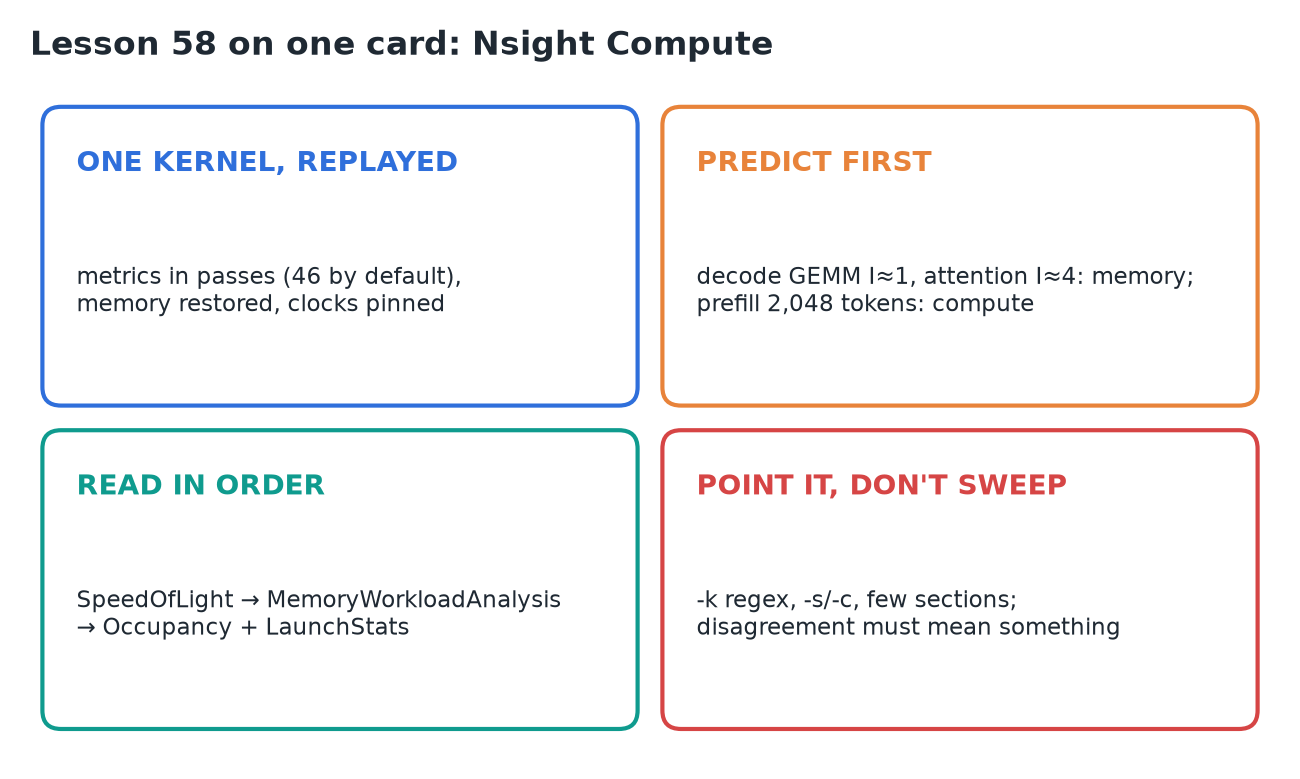
Once a cheaper profiler has named the kernel that owns the time, Nsight Compute (ncu) reads that one kernel launch exhaustively, measured against the machine's own maxima. It gets that depth by replaying the launch once per group of metrics (46 passes for the default set), with memory restored and clocks pinned, so the wall-clock time is an artifact and only the metric values count. The method is to predict the bound first with the roofline, then read the report in order: Speed Of Light, memory workload, occupancy. Point it at one suspect; never sweep a server with it.
1. Replay and its cost
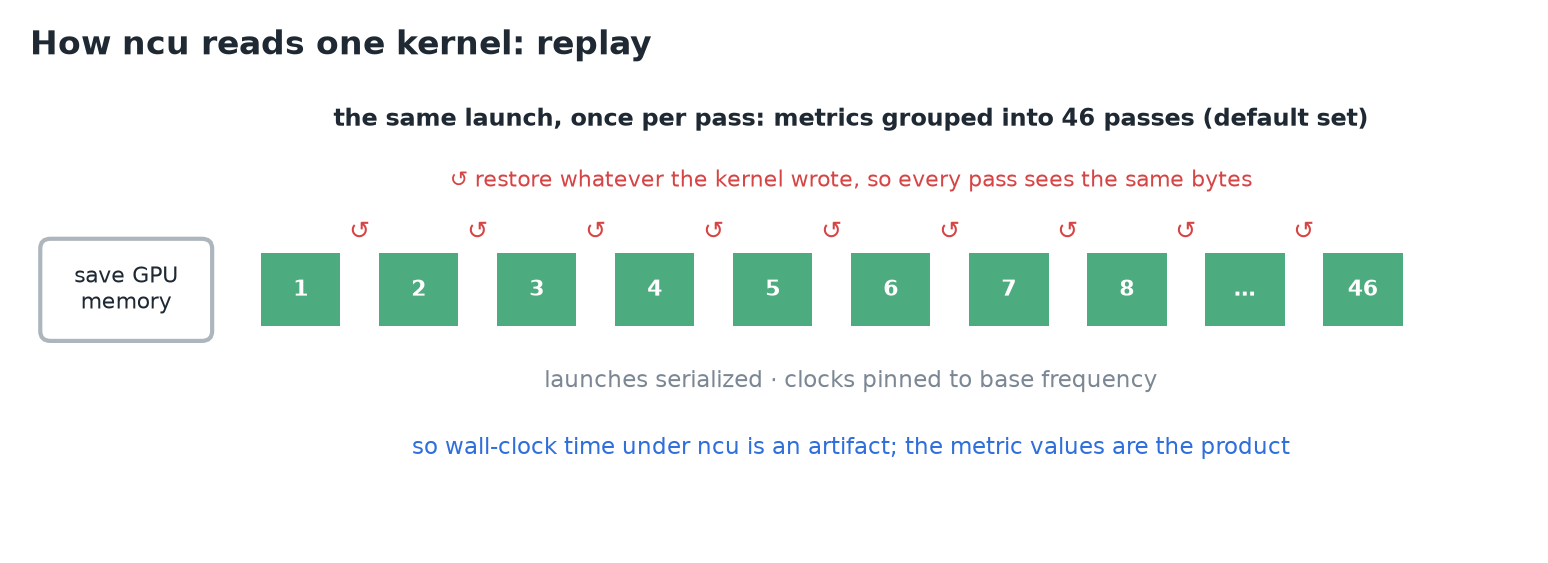 One launch, many passes, every pass on the same bytes.
- A GPU can't collect every counter at once (limited hardware counters; some metrics need patched instructions). So
ncugroups the requested metrics into passes and replays the same launch once per pass. - Before the first pass it saves all GPU memory the kernel can touch; between passes it restores what the kernel wrote.
- It serializes kernel launches and tries to pin clocks to base frequency, so passes agree and the result doesn't depend on where in the app the kernel ran.
- NVIDIA's quickstart: a vector-add app with two kernels (4,471 blocks × 256 threads, for 1,144,477 elements); each kernel ran 46 times for the default metric set.
WARNING
A run under ncu is serialized, replayed and clock-pinned. Its elapsed time says nothing about your service latency; the metric values are the product.
2. Predict the report before it prints
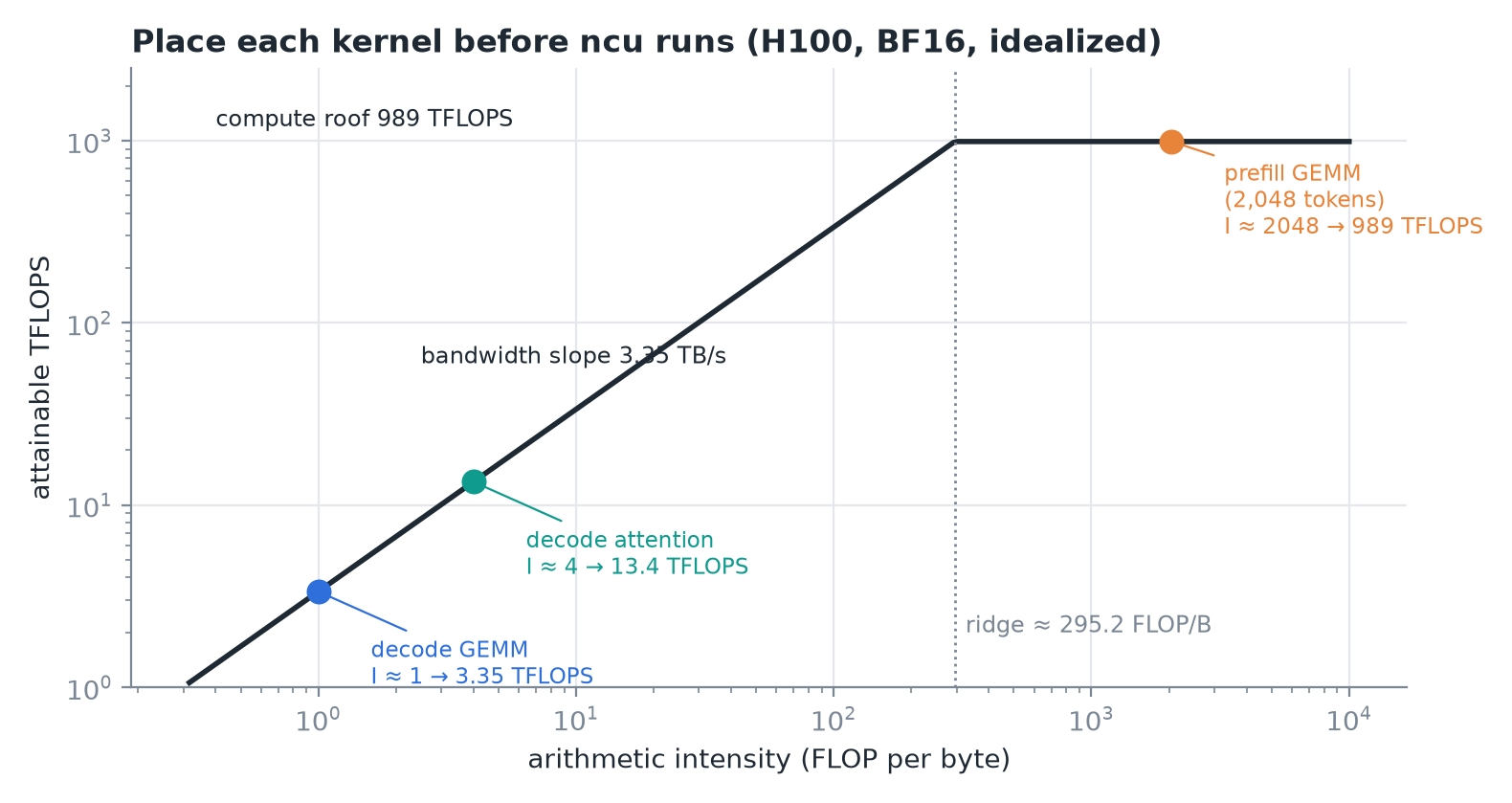 Three inference kernels placed on the H100 roofline from counts alone.
- Decode GEMM (weights × a few tokens): intensity ≈ 1 FLOP/byte. At full bandwidth that's 3.35 TFLOPS, about ⅓ of 1% of the compute ceiling. A good decode GEMM is pinned to the memory side with compute nearly idle.
- Prefill GEMM at 2,048 tokens: intensity ≈ the prompt length, the crossing is at ≈ 295 tokens, so it sits ≈ 7× past the ridge. The compute ceiling binds and memory stops being the story.
- Decode attention: reads the cached K/V. Each 2-byte cached value costs 2 FLOPs per query head that uses it, and with GQA 4 query heads share each read: ≈ 4 FLOPs per byte. Above the weight stream's intensity, but still ≈ 74× short of the ridge, so still memory-bound.
- If the report agrees, it's confirmation. If it disagrees, either the probe is wrong (a name filter matched the wrong kernel, a cold first launch) or it's teaching you something: traffic you assumed came from HBM is being served from somewhere closer.
3. Speed Of Light
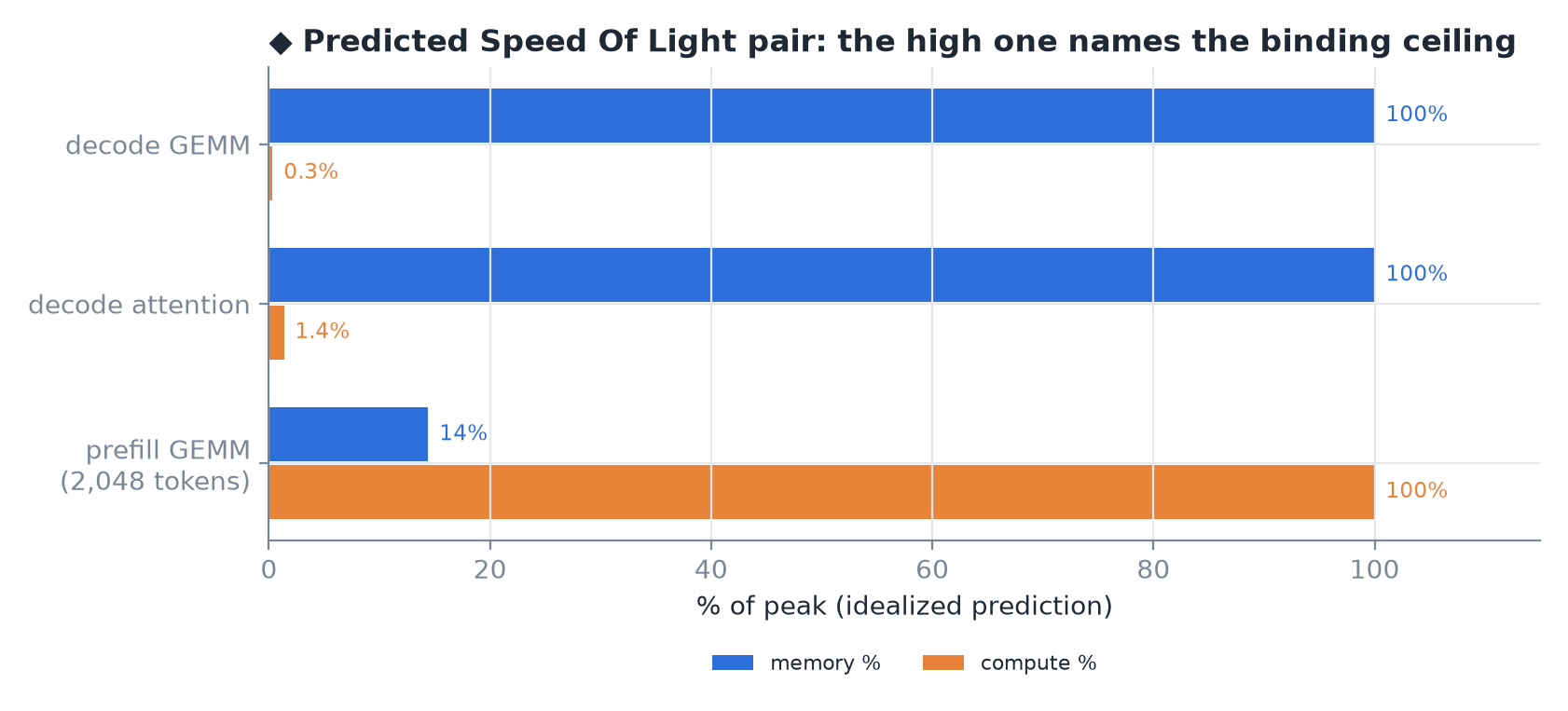 ◆ My idealized predictions of the two percentages for each kernel.
- The first section to read:
SpeedOfLight("GPU Speed Of Light Throughput"). Two headline numbers: compute % and memory %, each the achieved utilization against the theoretical maximum. - Whichever is high names the binding ceiling. It's the roofline division, measured.
- Metric names are a base plus a suffix, e.g. compute is
sm__throughput.avg.pct_of_peak_sustained_elapsed. SpeedOfLight_RooflineChartdraws the same roofline (log FLOP/s against log intensity, sloped bandwidth line, flat peak, a ridge) with the kernel as a measured point.- The docs' reading rule: a point on the bandwidth line below the ridge can only gain FLOP/s if its intensity rises too.
4. Memory workload analysis
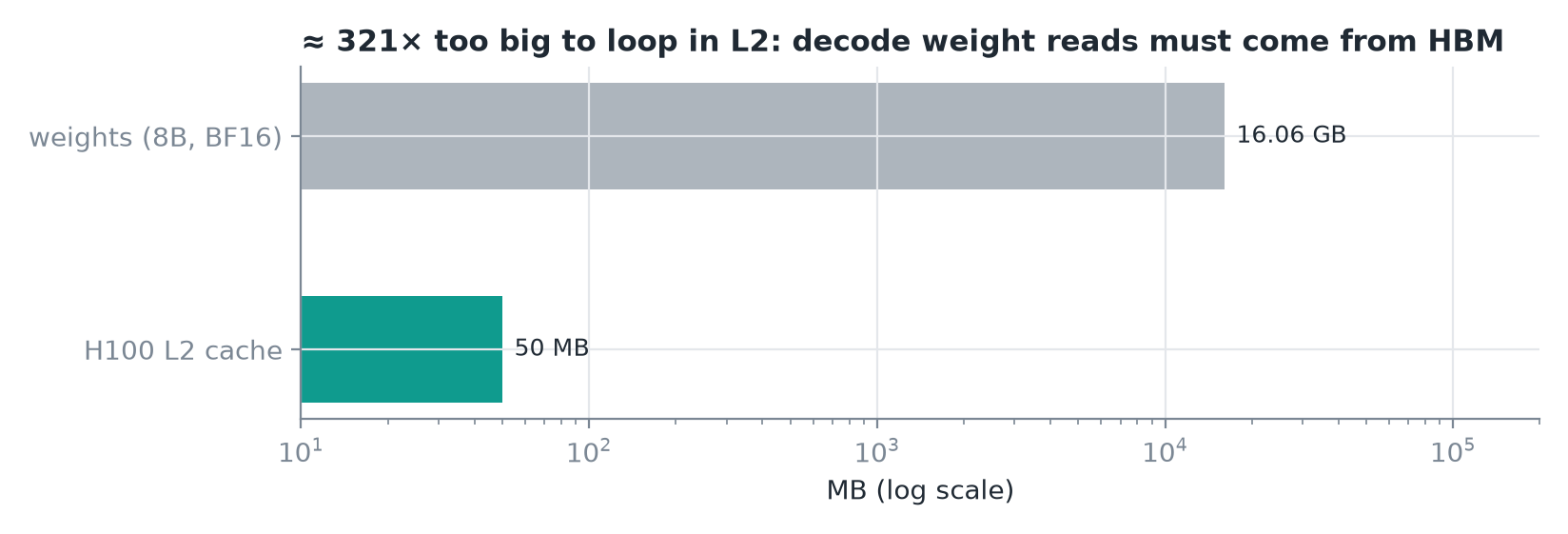 Weights are far too large for the cache to help decode.
- When memory % is high,
MemoryWorkloadAnalysissays where the pressure sits: units kept busy, bandwidth between them exhausted, or memory-instruction issue rate at its limit. - Two numbers matter most for decode-shaped kernels:
- achieved device-memory throughput (bytes/s), read against 3.35 TB/s;
- L2 hit rate: share of requested sectors served from L2 without going to HBM.
- Expectations: 16.06 GB of weights vs a 50 MB L2, ≈ 321×, so weights can't loop in the cache; every decode step streams them from HBM. The KV cache streams the same way.
- A kernel you expected to stream that shows a high hit rate is the disagreement case: some bytes you counted never left the cache, so redo the bound before trusting the report.
5. Occupancy and launch statistics
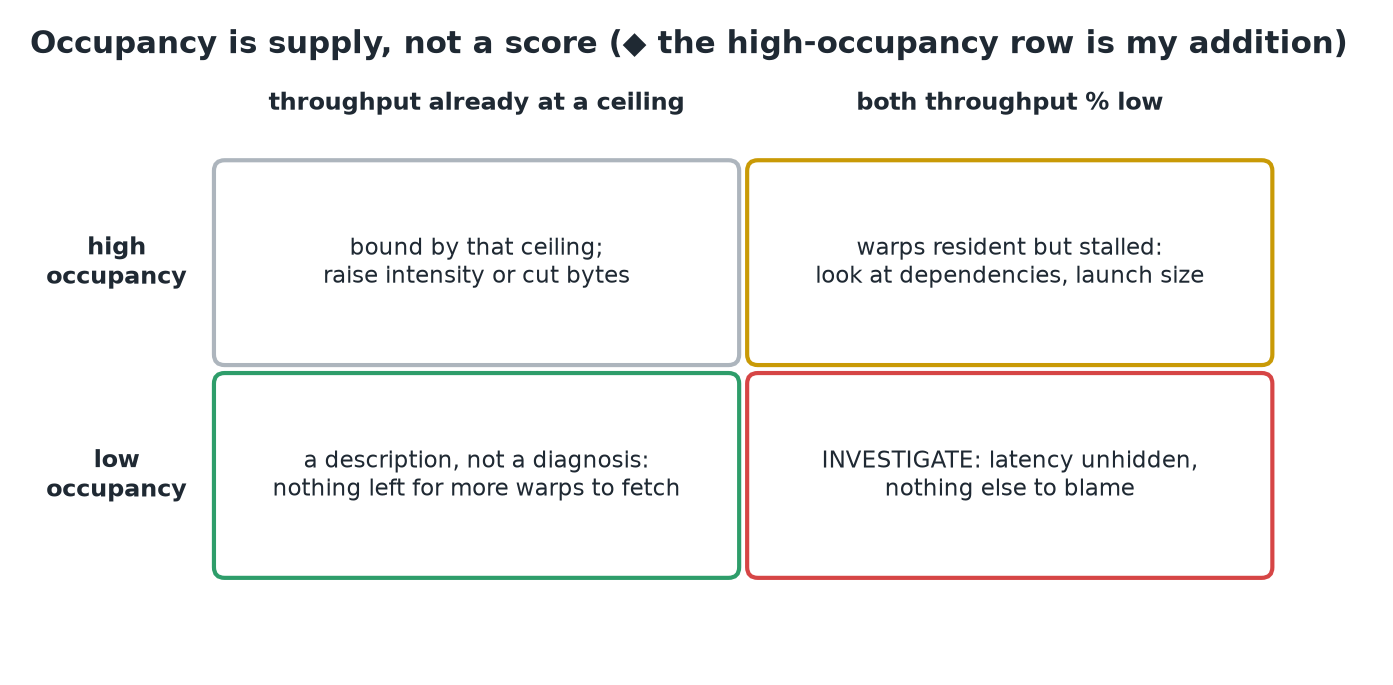 Read occupancy next to the Speed Of Light pair, never alone.
- Occupancy asks whether each SM held enough resident warps to hide latency. The
Occupancysection reports it twice: theoretical (from the launch's budgets) and achieved (from execution). A big gap means a highly imbalanced workload. LaunchStatsprints the configuration: grid, blocks, requested resources.- Limiter metrics turn the number into a cause, one per budget:
launch__occupancy_limit_registerslaunch__occupancy_limit_shared_memlaunch__occupancy_limit_warpslaunch__occupancy_limit_blocks
- The reading ends in something a kernel author can act on: registers per thread, shared memory per block, block size.
CAUTION
Low occupancy doesn't convict a kernel. If memory throughput already sits at its ceiling, extra warps have nothing to fetch, so low occupancy is a description, not a diagnosis. Investigate when occupancy is low and both throughput percentages are low too: latency is going unhidden with nothing else to blame.
6. The command line
ncu --section SpeedOfLight \
    --section MemoryWorkloadAnalysis \
    --section Occupancy --section LaunchStats \
    -k regex:"gemm" -s 2048 -c 1 \
-o decode-gemm python decode_step.py| Flag | Meaning |
|---|---|
-k regex:"gemm" | filter kernels by name (quoted for the shell). Use a name the cheaper tools showed you: fast math-library kernels don't always contain "gemm" |
-s 2048 -c 1 | skip 2,048 matching launches, then collect 1 |
--section … | pick the questions by identifier (default: the basic set) |
-o decode-gemm | writes decode-gemm.ncu-rep; reopen with ncu --import or the UI |
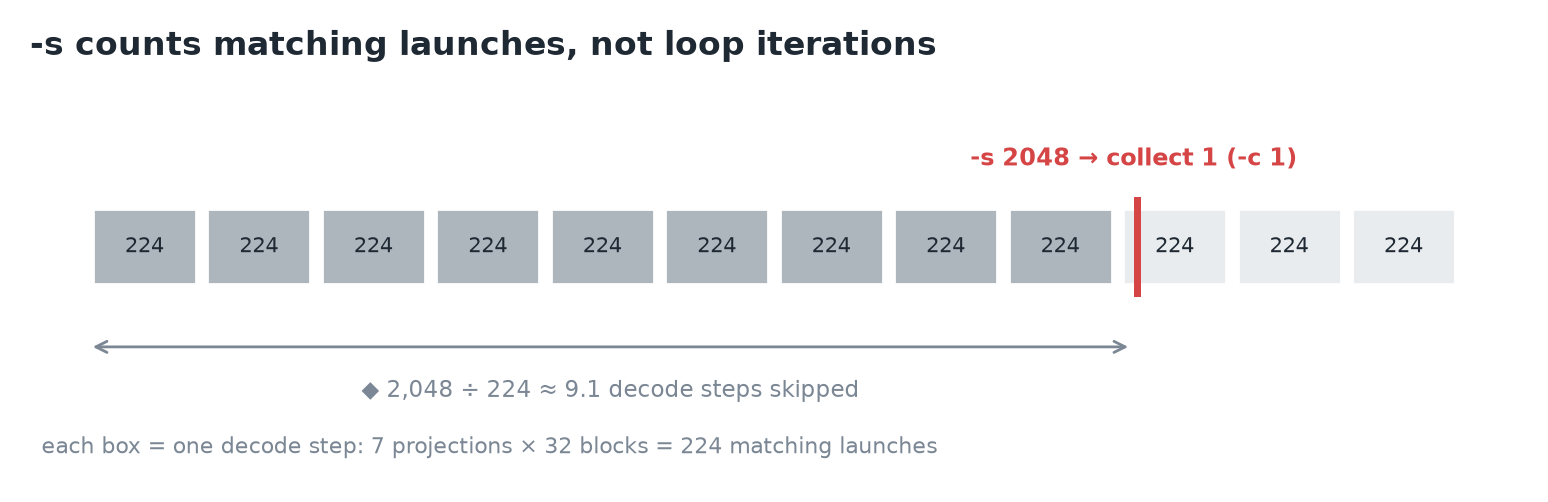 ◆ How far into the run
 -s 2048 lands.
- The skip counts matching launches, not loop iterations. A decode step launches a matching GEMM at least once per projection: 7 per block × 32 blocks = 224 per step. So a skip that clears the cold start is sized in the thousands; when in doubt, do a first unfiltered run.
- Cost discipline: every section adds metrics, more metrics mean more passes, and the first profiled kernel in a context pays a one-time setup cost. Collect as few kernels and metrics as the question needs.
IMPORTANT
Point ncu at one kernel the cheaper tools already named. Decide what the two Speed Of Light percentages should be before it prints them, so a disagreement means something.
7. Recap