04 · Math for Memory, Throughput & Speedups
Source: fanout.sh / inference-eng / 00-01 · ~8 min
NOTE
Almost every number in inference is an amount (16 GB), a rate (3.35 TB/s) or a ratio (1.25×). With careful units and one identity, time = amount ÷ rate, you can answer three questions before touching hardware: does the model fit, how fast can it possibly run, and what is a claimed speedup really worth.
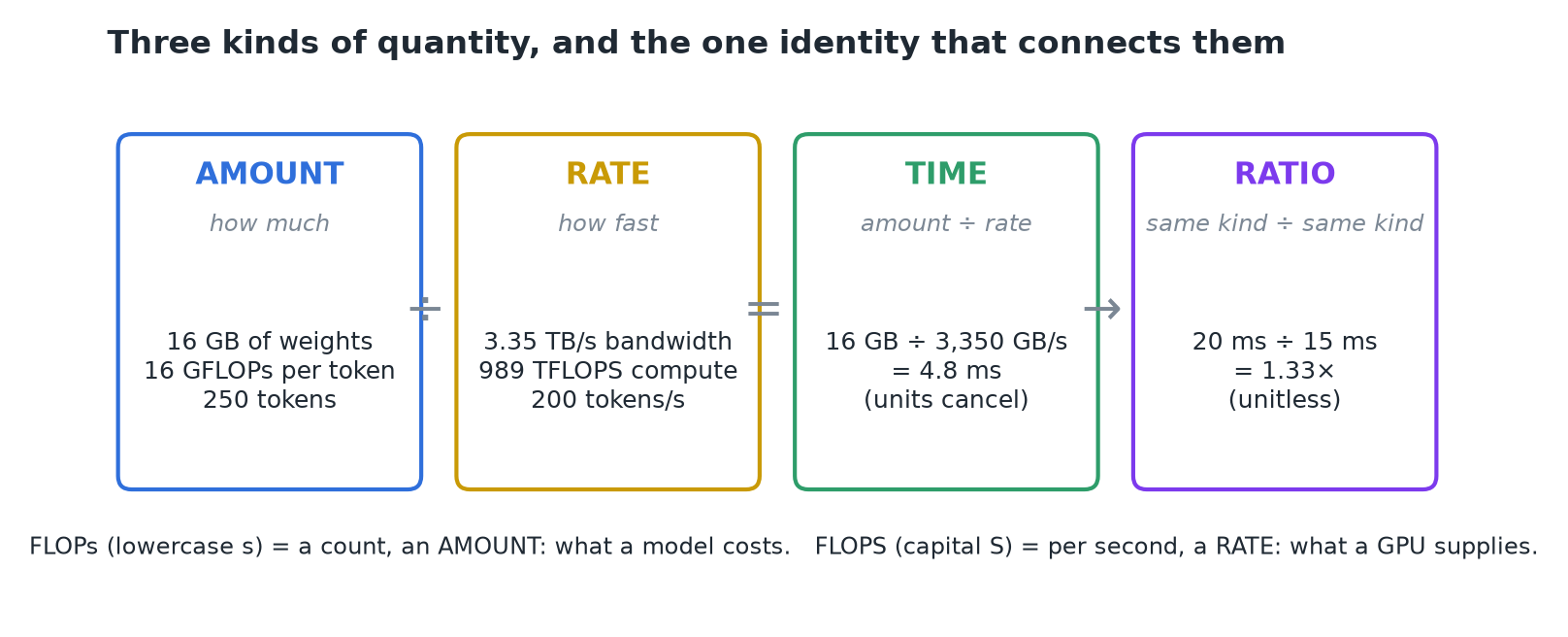 Amounts divided by rates give times; times divided by times give unitless ratios.
1. Amounts: does it fit?
- Each parameter is stored at some precision: FP32 = 4 bytes, BF16 = 2, FP8 = 1, INT4 = 0.5.
- Weight memory = parameters × bytes per parameter. Llama 3.1 8B has 8.03B parameters:
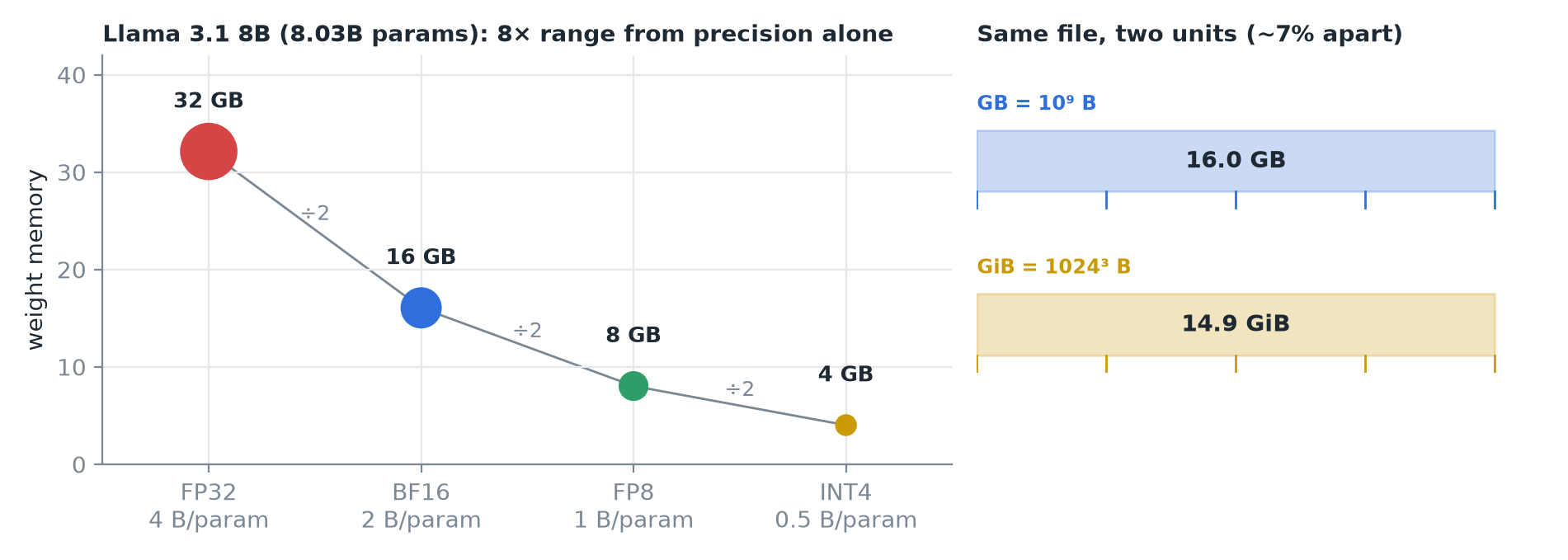 Left: each halving of precision halves memory, an 8× range overall. Right: one 16 GB file reads as 14.9 GiB.
WARNING
GB vs GiB: a GB is 10⁹ bytes; a GiB is 1024³, about 7% bigger. A 16 GB file shows as 14.9 GiB. Check the unit before doubting the math.
2. Rates: how fast can it possibly run?
Three rates do most of the work: memory bandwidth (bytes/s), compute (FLOPS) and generation speed (tokens/s).
- FLOPs (lowercase s) is a count: an amount a model costs. FLOPS (capital S) is per second: a rate a GPU supplies.
- Generating one token reads all 16 GB of weights; an H100 moves 3,350 GB/s. Put both in GB and the GB cancel:
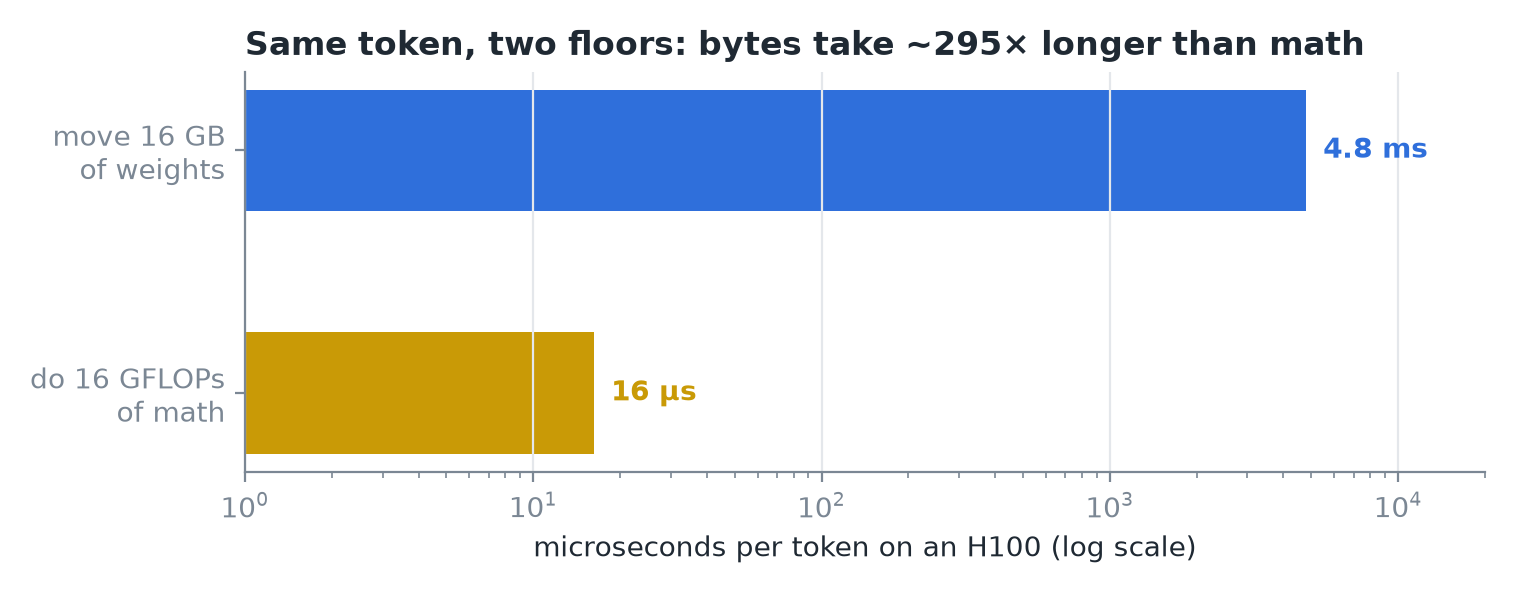 Moving the bytes takes ~300× longer than doing the math. That imbalance is what the field organizes around.
Floors, not predictions
Datasheet numbers are peaks that real systems never sustain, so these times are floors.
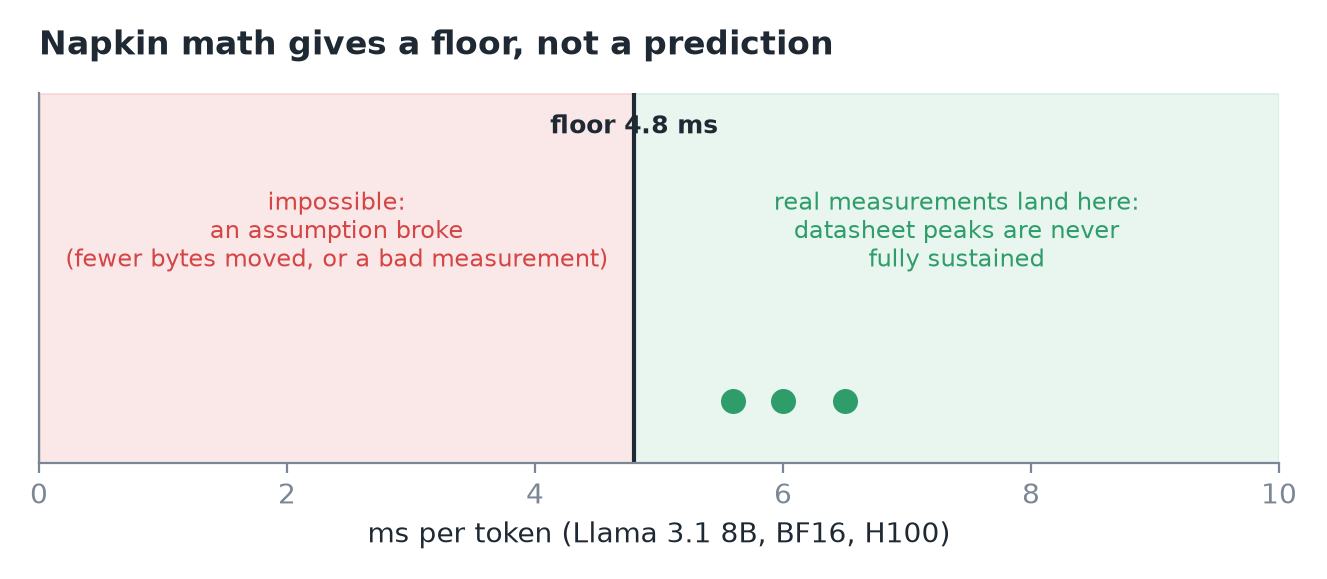 Real measurements land above the floor. Below it means an assumption broke.
Scaling up: 70B on one 80 GB H100
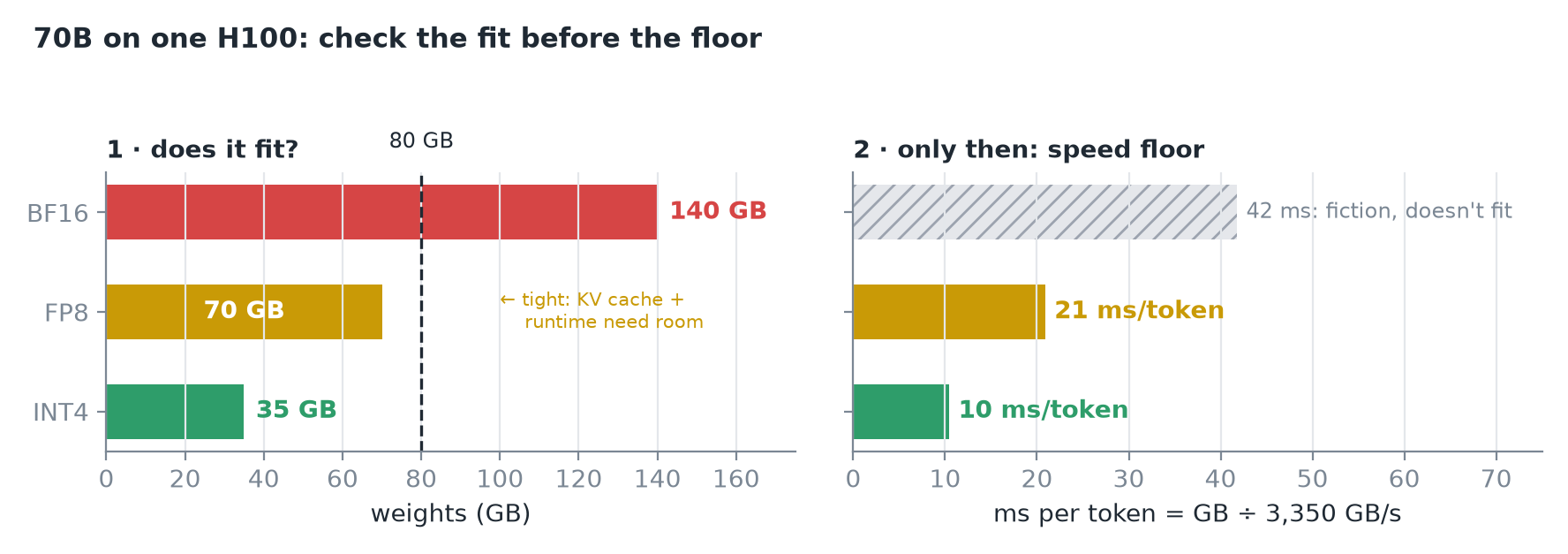 BF16 doesn't fit, so its floor is meaningless. FP8 fits tightly at ~21 ms/token; INT4 fits at ~10 ms/token.
IMPORTANT
"Fits" means the weights fit; a running model also needs growing per-request state (KV cache) and runtime overhead, so FP8 is tight, not comfortable. And check the fit before the floor: a speed floor for a model that doesn't fit is fiction.
3. Latency vs throughput
| Latency | Throughput | |
|---|---|---|
| Unit | Time per event (ms/token) | Events per second (tokens/s) |
| Better | Smaller | Bigger |
| One stream | 5 ms/token | = 200 tokens/s (reciprocals) |
Once requests share the hardware, the two decouple: batching can raise total tokens/s by an order of magnitude while each stream gets no faster, and a little slower under load.
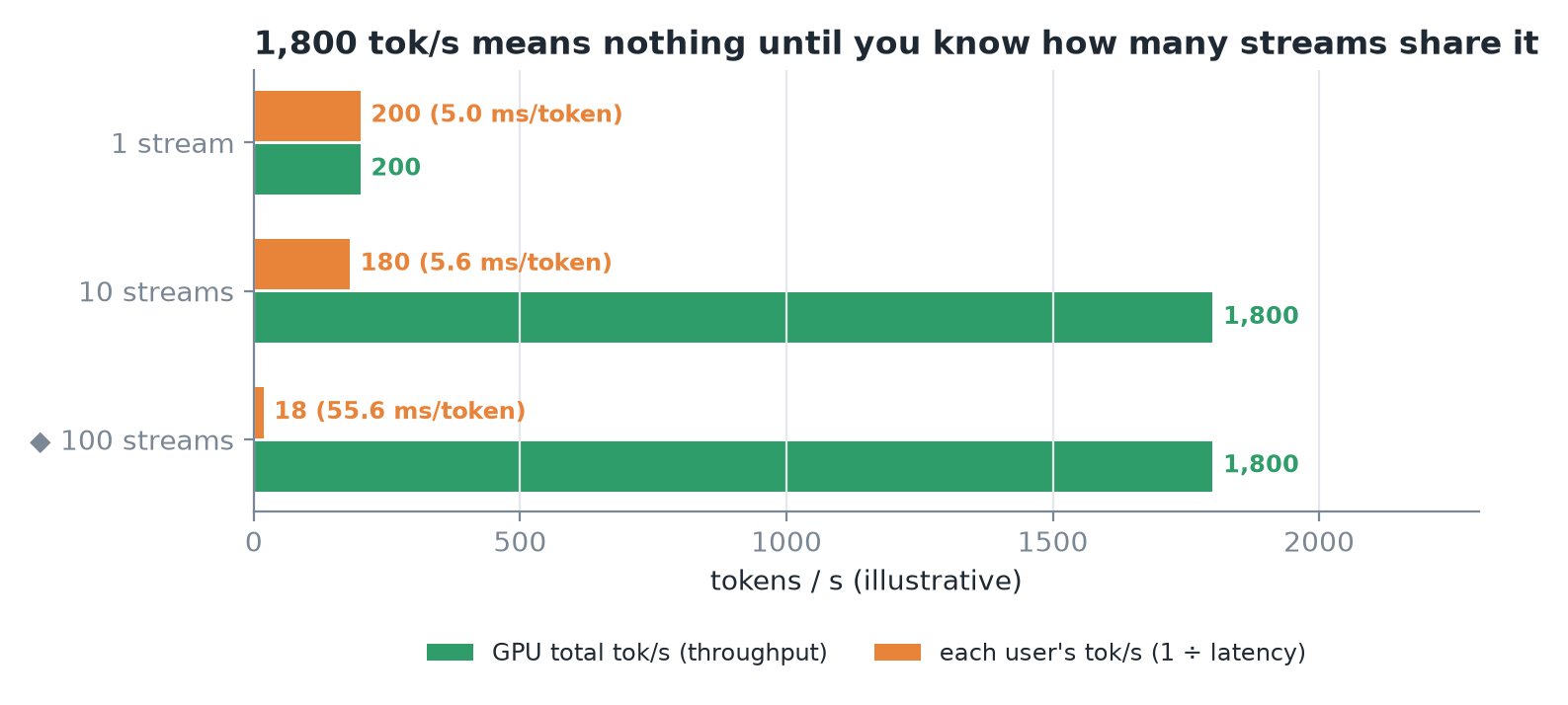 The same 1,800 tok/s can mean 180 tok/s per user or 18; the total says nothing without the stream count.
4. Speedups
A speedup is a ratio of times: before ÷ after. 20 ms → 15 ms is 1.33×.
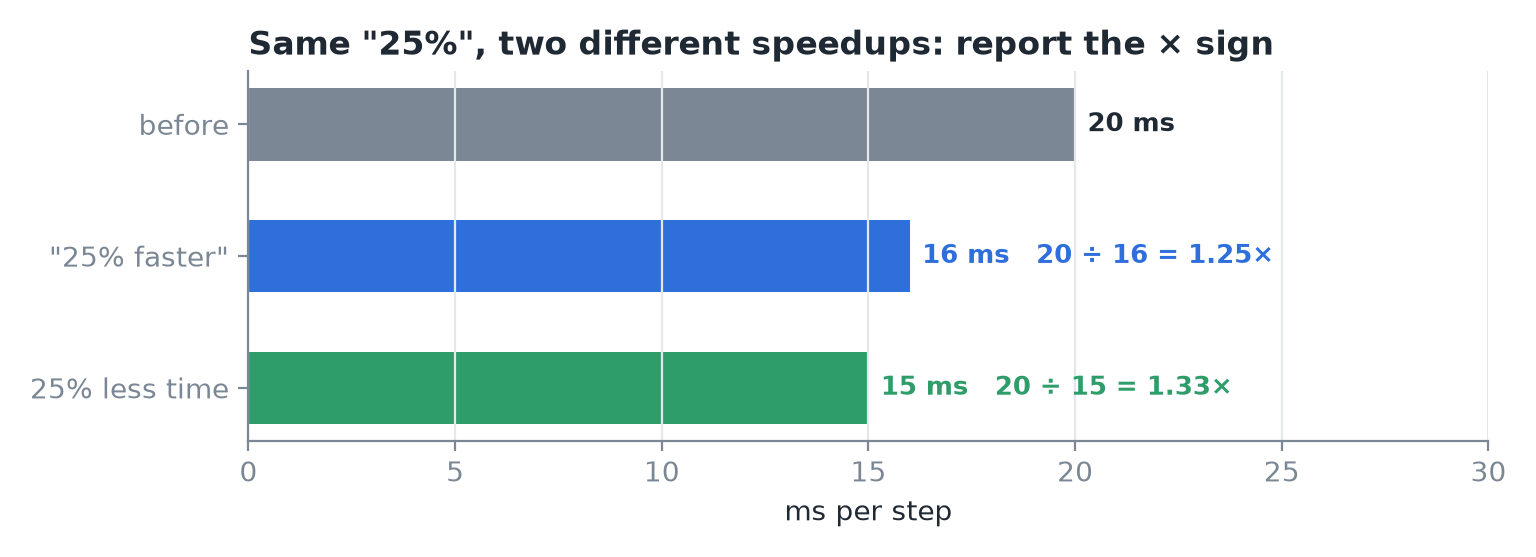 "25% faster" usually means 1.25×, but "25% less time" is 1.33×. Report the × sign; ask which flavor a percent is.
Speedups compose by time accounting, not addition. If one op is 30% of a step and gets 3× faster, the 30 becomes 10 and the step drops to 80% of its old time: only 1.25× overall. In general (Amdahl's law), if a fraction p of the time gets s times faster:
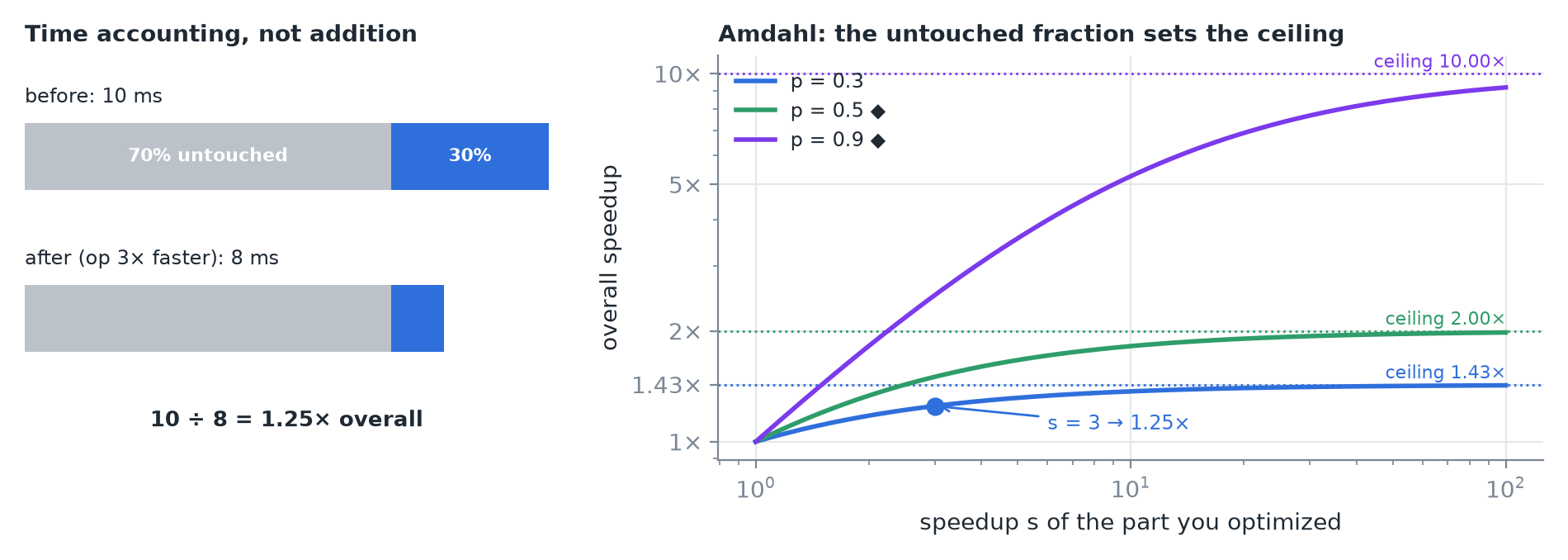 Left: the 30%/70% example. Right: no matter how fast the optimized part gets, the untouched fraction caps the overall gain.
IMPORTANT
Before valuing any optimization, ask what fraction of the time it touches.
5. Recap