55 · Stop Guessing: Build a Profiling Workflow
Source: fanout.sh / inference-eng / 12-01 · ~9 min
NOTE
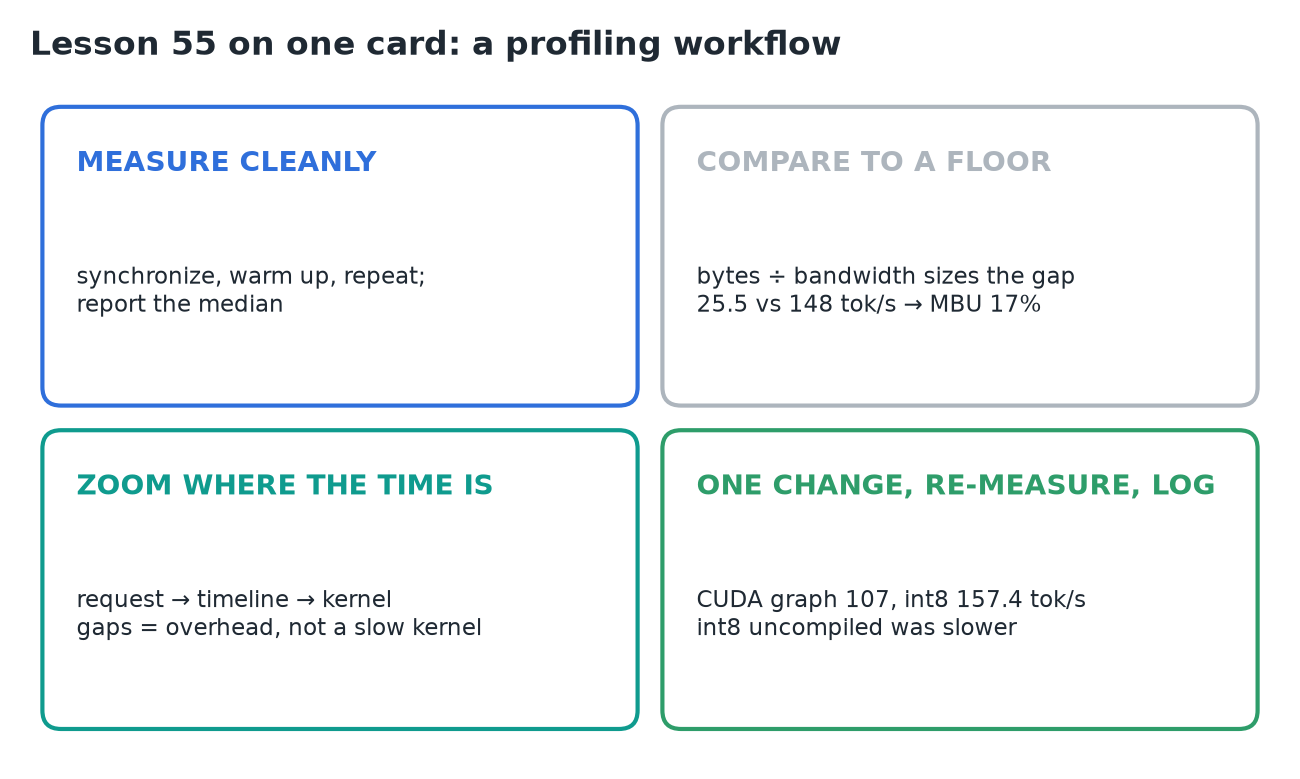
A 7B Llama in plain PyTorch on one A100 generates 25.5 tokens/s (≈ 39 ms per token). Whether that's slow can't be guessed; it has to be measured against what the hardware could do. A five-step loop does it: measure one clean number, compare it with a floor, locate the gap by zooming in only where the time is, change one thing, then re-measure and write it down. Run on this Llama, the loop found CPU launch overhead, not a slow kernel, and took it from 25.5 to 157.4 tokens/s without a single guess.
1. The loop
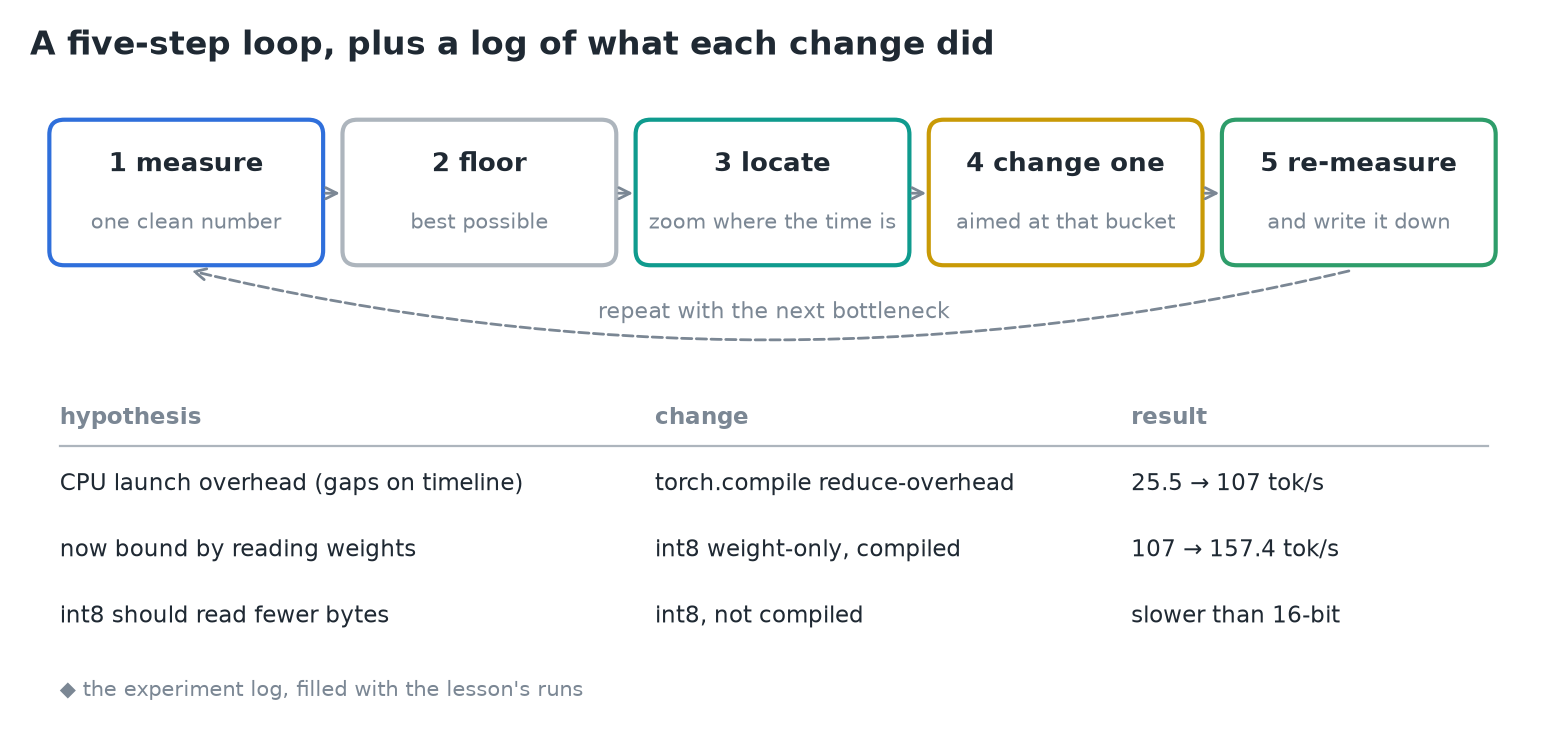 The five steps, and a log of what each change did.
- Common guesses ("the attention kernel must be slow", "we need a bigger GPU", "rewrite it in C++") each cost a day and mostly miss.
- The last step, writing it down, is what stops you fooling yourself: a short log of hypothesis, change and result is worth more than any single profiler screenshot.
2. Step 1: measure one clean number
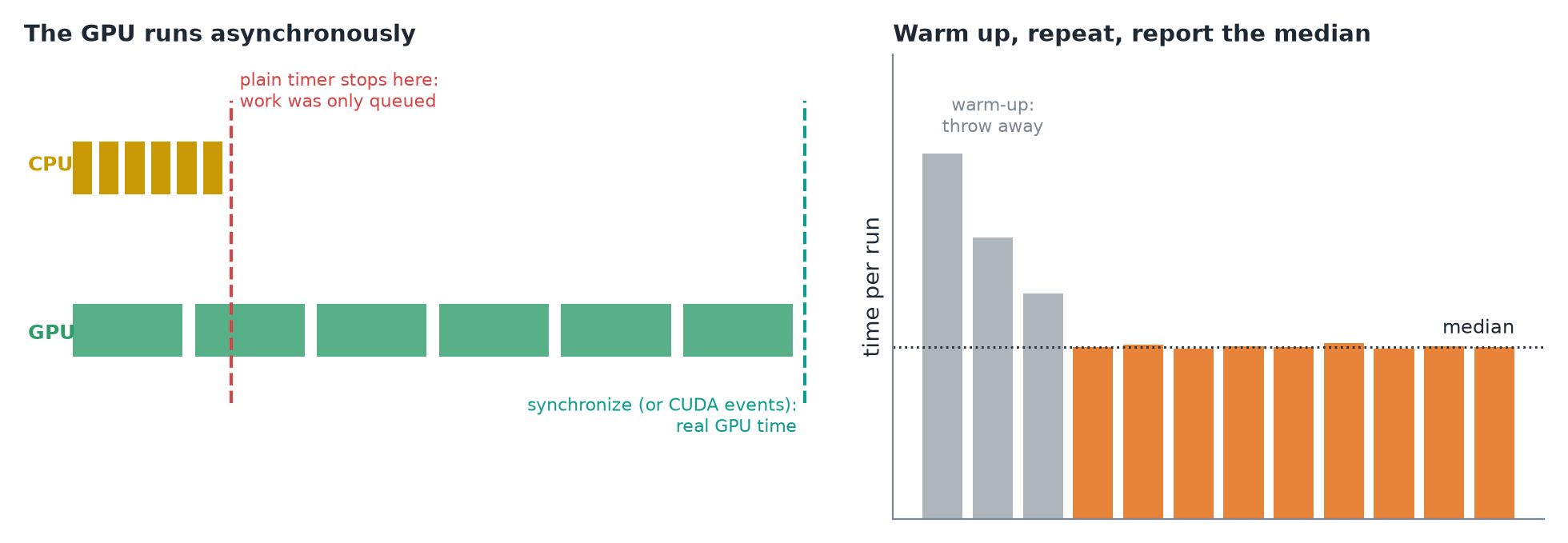 Left: a plain timer stops when the CPU has queued the work. Right: discard warm-up runs and take the median (illustrative).
- The GPU runs asynchronously: a kernel call only puts work in a queue and returns at once. A plain timer measures how fast the CPU queued the work, not how long the GPU took.
- PyTorch's docs: "time measurements without synchronization are not accurate." Synchronize before stopping the clock, or use CUDA events.
- Warm up: the first calls pay for memory allocation, kernel selection and sometimes compilation. Throw them away.
- Repeat with the same prompt and output length, and report the median.
3. Step 2: compare with a floor
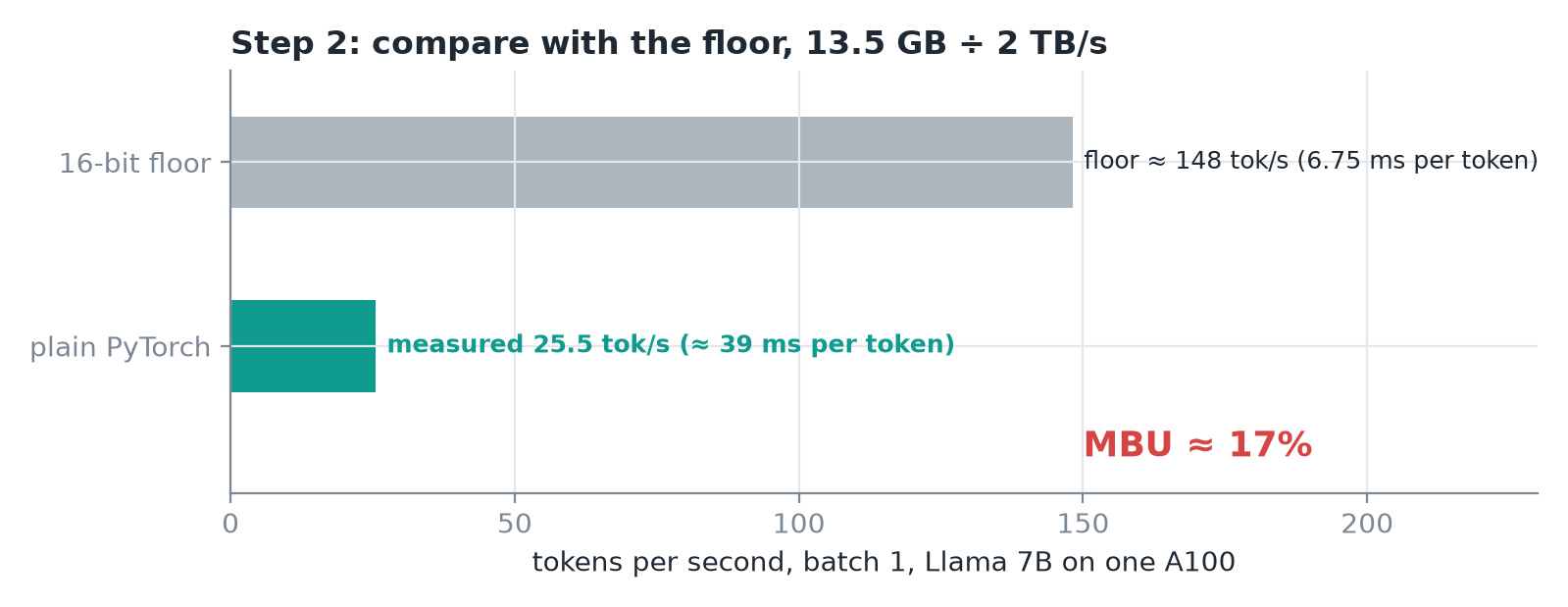 At batch 1, every token must read all the weights once.
- Model bandwidth utilization (MBU) = achieved bandwidth ÷ peak bandwidth. Here 25.5 ÷ 148 ≈ 17%.
- So more than 80% of each token's time is spent on something other than the one job this workload must do: reading the weights. That gap is what we hunt.
4. Step 3: locate the gap
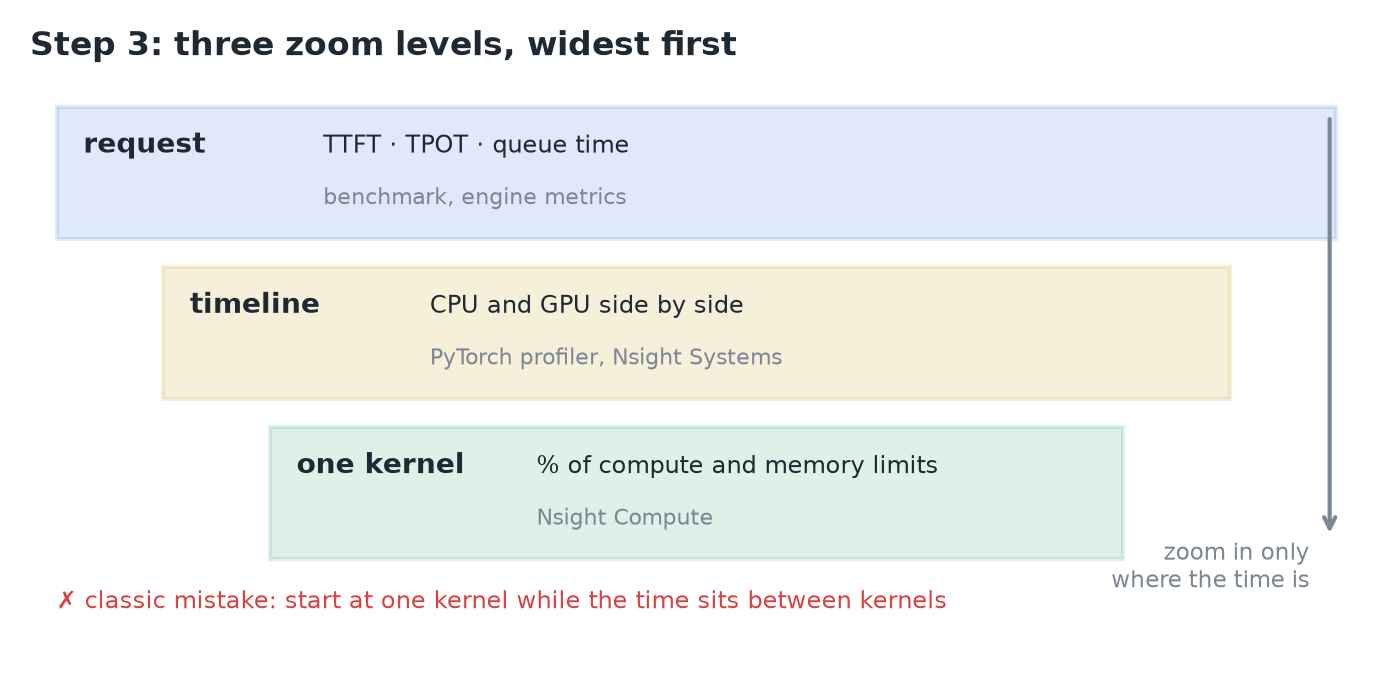 Three zoom levels. Only zoom in where the time is.
| Level | Shows | Tool |
|---|---|---|
| Request | TTFT, TPOT, queue time | your benchmark, the engine's metrics |
| Timeline | CPU thread and GPU kernels side by side over time | PyTorch profiler, Nsight Systems |
| One kernel | how close it gets to the chip's compute and memory limits | Nsight Compute |
- The classic mistake is starting at the narrow end: polishing one kernel while the real problem sits between the kernels.
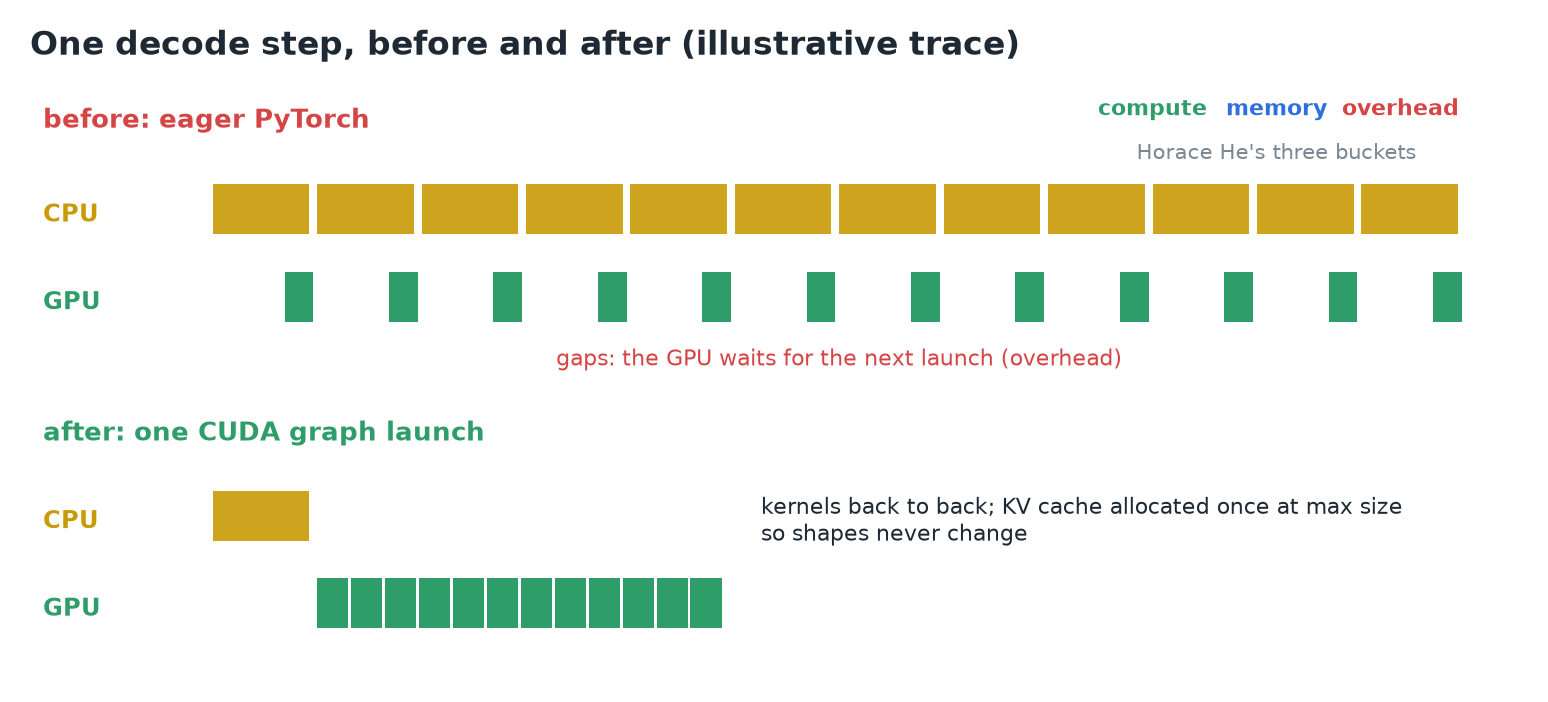 Illustrative trace of one decode step before and after a CUDA graph.
- The timeline of one decode step shows tiny kernels with empty space between them, while the Python thread is busy the whole time launching one small operation after another.
- Horace He's three buckets: compute (doing math), memory (moving bytes) and overhead (everything else). The gaps are overhead: the GPU finishes each kernel before the CPU can hand it the next.
- The PyTorch team's verdict: "heavily CPU overhead bound." No attention-kernel rewrite would have fixed it.
5. Steps 4 and 5: change one thing, re-measure
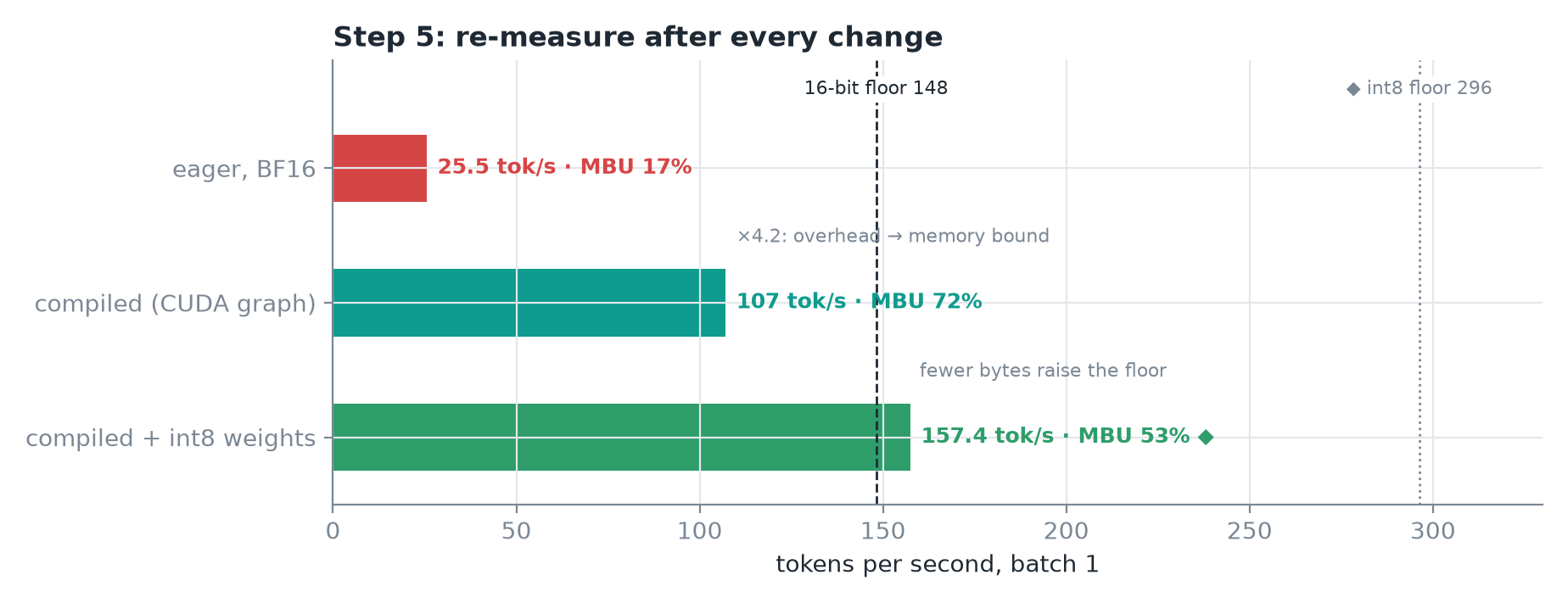 Each run against the 16-bit floor. ◆ The int8 floor and its MBU are my arithmetic.
- The change:
torch.compilein reduce-overhead mode records the whole decode step as a CUDA graph and replays it with one launch. To allow that, the KV cache is allocated once at its maximum size, so shapes never change. - Re-measure: 107 tokens/s, ×4.2. MBU rises to ≈ 72%: the gaps are gone and the bottleneck moved from overhead to memory.
- The next hypothesis writes itself, read fewer bytes: int8 weight-only quantization reached 157.4 tokens/s, above the 16-bit floor, because fewer bytes raise the floor.
- Without compilation, the int8 model was slower than the 16-bit one: the dequantize step wasn't fused into the matrix multiply. Same idea, opposite result; only the re-measurement told them which.
TIP
◆ int8 halves the bytes, so its floor is ≈ 296 tokens/s, and 157.4 × 6.75 GB ≈ 1.06 TB/s is an MBU of ≈ 53%. There's room left, so the loop would continue.
6. Four traps
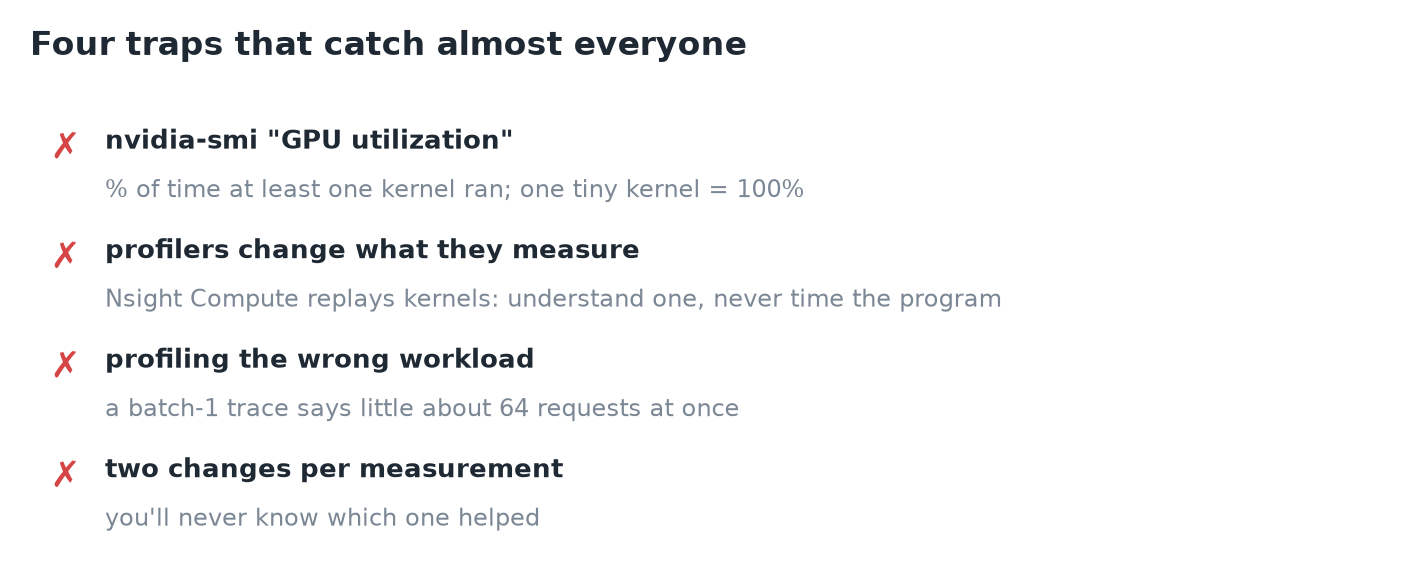
- GPU utilization in nvidia-smi is the percent of time at least one kernel was running. One tiny kernel that barely touches the chip counts as 100% busy.
- Profilers change what they measure. Nsight Compute replays each kernel several times to collect counters: use it to understand a kernel, never to time the program.
- Profile the workload you serve. A batch-1 trace says little about a server running 64 requests at once.
- One change per measurement. Change two things and you'll never know which helped.
7. In a real serving engine
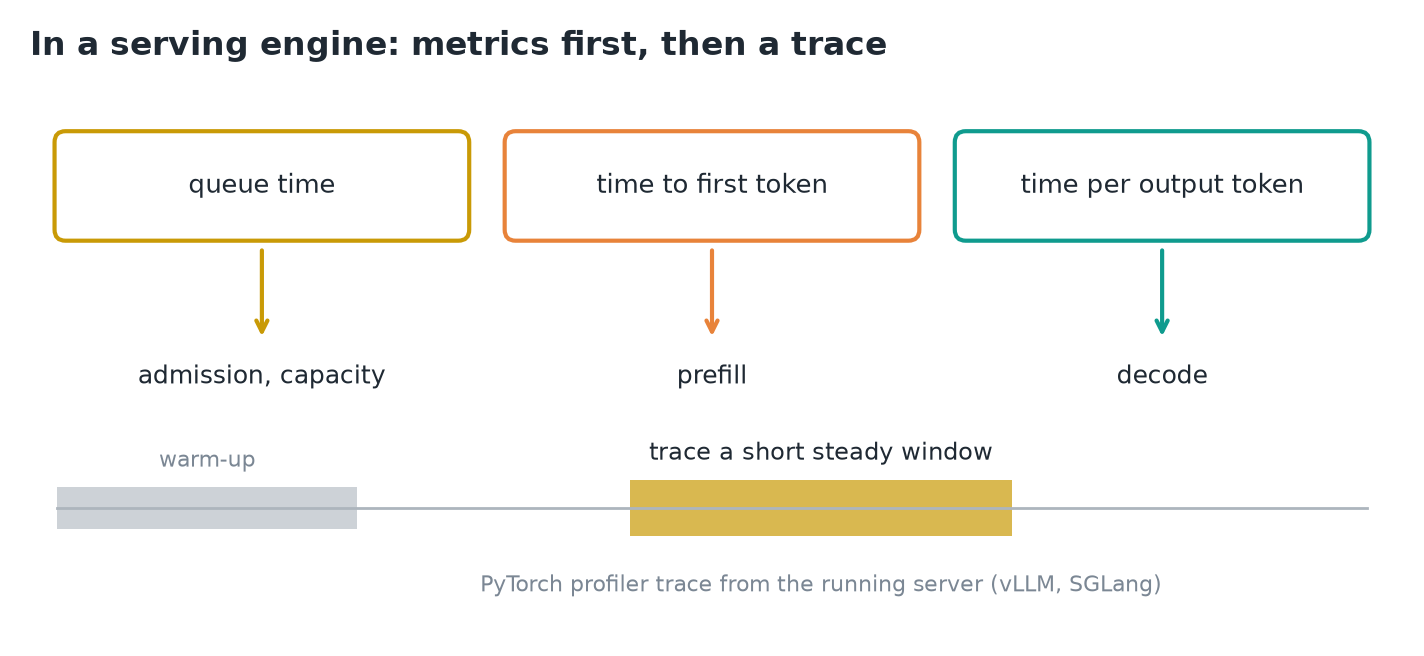 Start from the engine's metrics; trace only a steady window.
- vLLM and SGLang already use CUDA graphs for decode, so the gaps fixed above are usually gone. The loop stays the same, but the starting point shifts.
- Begin with the engine's own metrics: is the time going into the queue (admission, capacity), the first token (prefill) or every token after it (decode)? Each points at a different part of the system.
- Only then capture a trace, over a short window of steady traffic after warm-up. Both engines can record a PyTorch profiler trace from a running server.
IMPORTANT
Measure cleanly, size the gap against a floor, zoom in only where the time is, and change one thing at a time. The bottleneck moves after every fix, so re-measure every time.
8. Recap