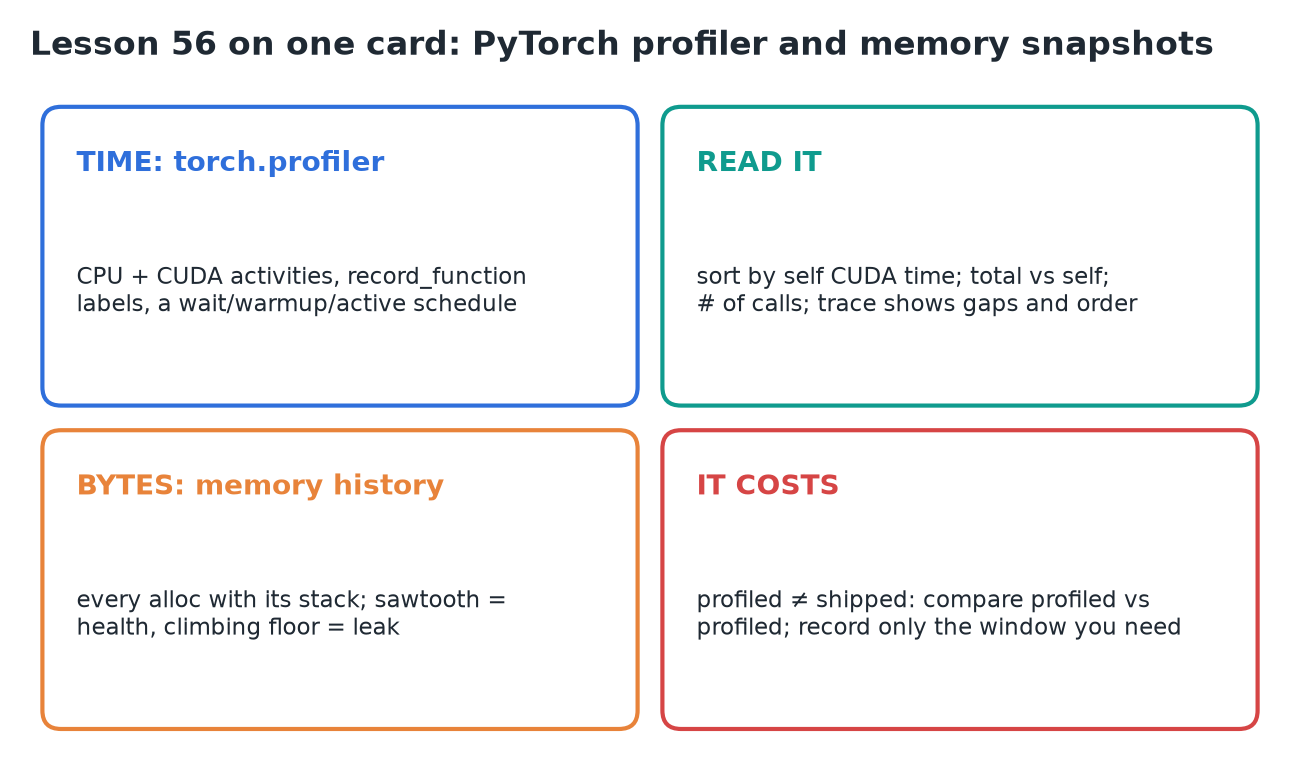
56 · PyTorch Profiler & Memory Snapshots
Source: fanout.sh / inference-eng / 12-02 · ~7 min (text lesson)
NOTE
Every operation the model performs passes through the framework, so the framework can keep an account of its own work. That makes it the cheapest profiler to reach for first. PyTorch keeps two accounts: torch.profiler records where the time went, operation by operation; the memory history records where the bytes went, allocation by allocation, each with the stack that caused it. Both run inside your own process with a few added lines, both distort what they measure, and neither sees anything outside the process.
1. Two instruments, two questions
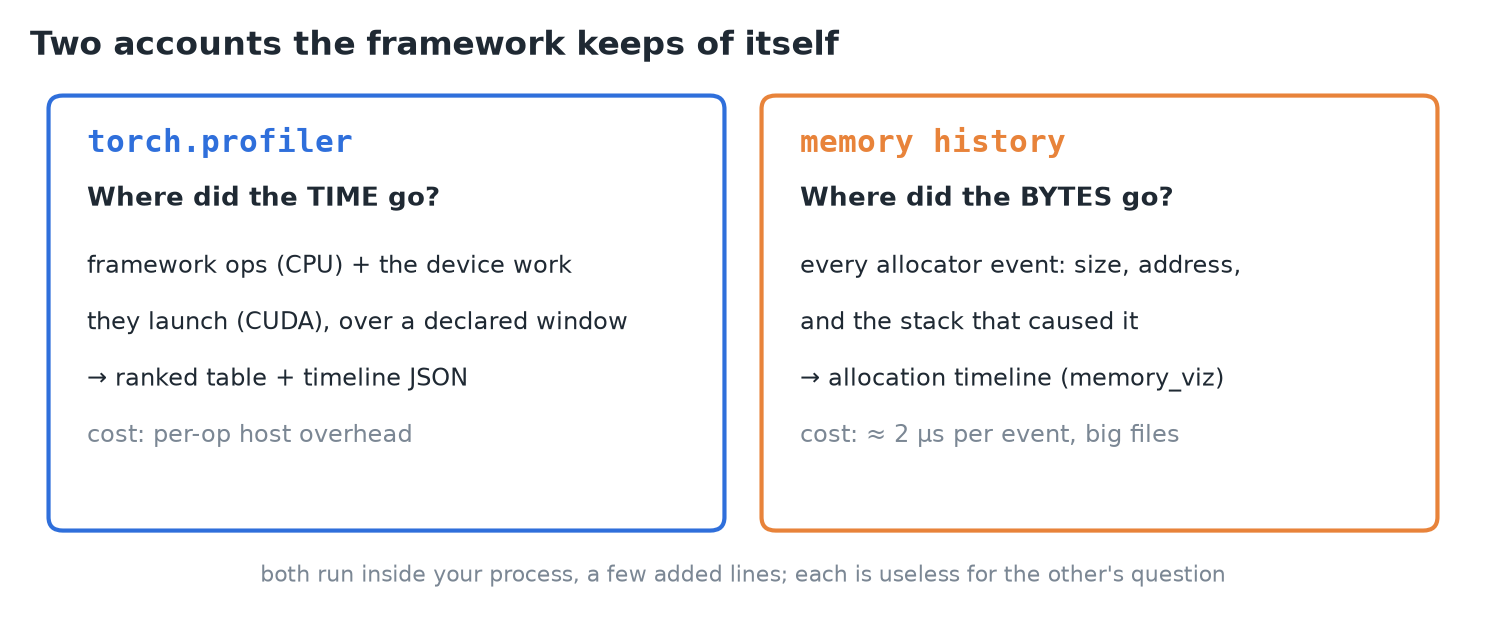 Each answers one question and is useless for the other's.
| Question | Instrument | Records | Hands you |
|---|---|---|---|
| Where did the time go? | torch.profiler | framework ops and the device work they launch, over a window you declare | a ranked table and a timeline file |
| Where did the bytes go? | torch.cuda.memory history | every allocator event, with its stack | an allocation timeline you scrub in a browser |
2. What the profiler records
- A context manager around code you already have. Choose activities:
ProfilerActivity.CPU(the framework's own operations) andProfilerActivity.CUDA(the device work they launch). - Each operation is recorded with its duration and its place in the call tree.
record_shapes=Truesaves input shapes, so the same matmul at two sizes shows as two rows.with_stack=Truesaves the file and line that issued it. Both add overhead.record_function("decode_step")names your own region: it becomes a row, with everything inside it accounted under it.
3. The recording window
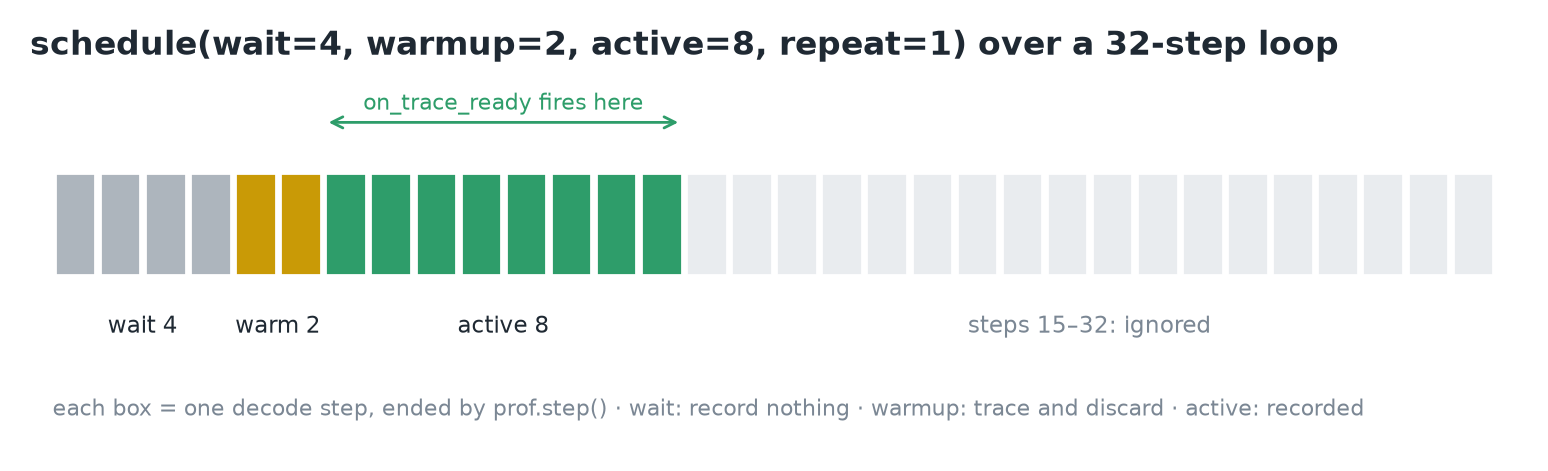 The schedule builds the warm-up discipline into the profiler.
- The first iterations are cold, and a window chosen after seeing the numbers is a window fitted to them. So declare it up front with a schedule.
schedule(wait=4, warmup=2, active=8, repeat=1): skip 4 steps, trace 2 and discard them, record 8, stop.prof.step()at the bottom of the loop marks each step boundary. When the active phase ends, the profiler callson_trace_readywith the results.
def on_ready(prof):
    print(prof.key_averages().table(
        sort_by="self_cuda_time_total", row_limit=12))
    prof.export_chrome_trace("decode-steady.json")

with profile(
    activities=[ProfilerActivity.CPU, ProfilerActivity.CUDA],
    schedule=schedule(wait=4, warmup=2, active=8, repeat=1),
    on_trace_ready=on_ready,
) as prof:
    for _ in range(32):
        with record_function("decode_step"):
            with torch.inference_mode():
                logits = model(input_ids=seq).logits
            next_id = logits[0, -1].argmax()
            seq = torch.cat([seq, next_id.view(1, 1)], dim=1)
prof.step()- The decode loop has no early stop on end-of-sequence: a schedule promises step counts, and a break at step 9 would leave the window unfilled.
- Of 32 steps, 6 get past the cold start, 8 are recorded, the rest are ignored: a steady-state window by construction, not by later exclusion.
4. Reading the table
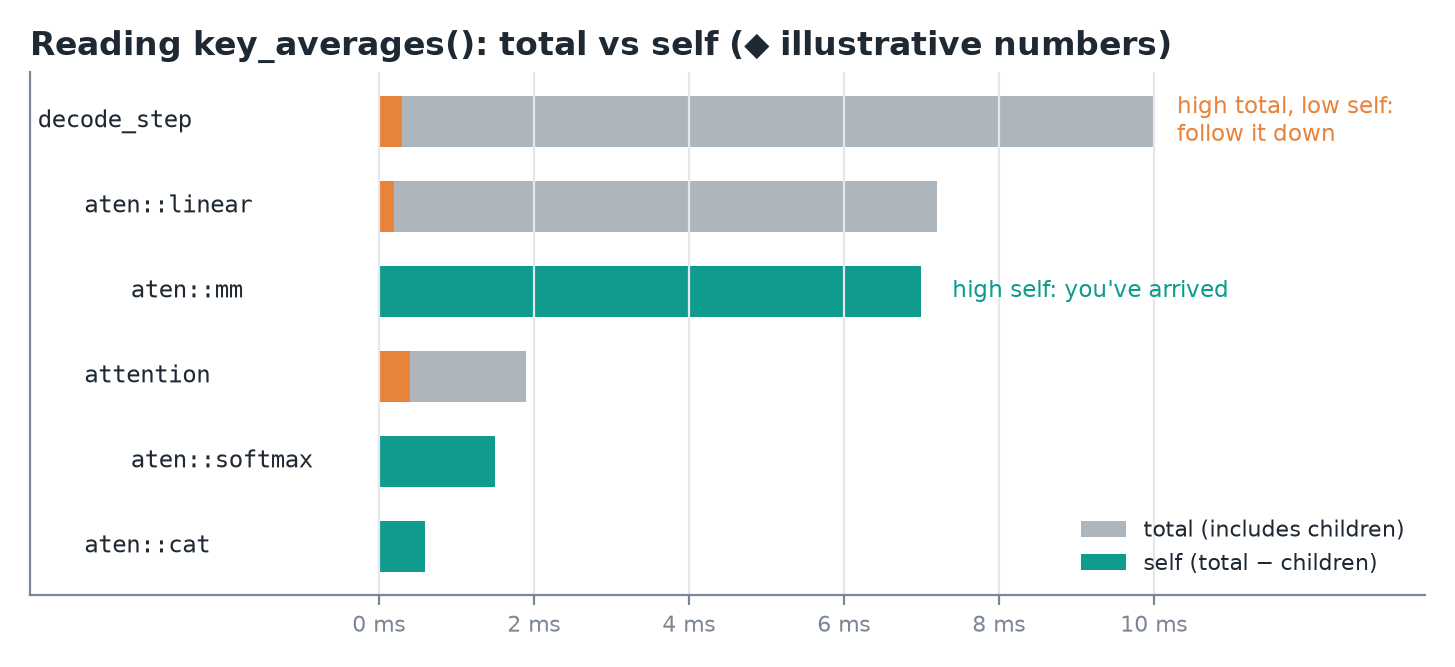 ◆ Made-up numbers to show how total and self time read in a call tree.
key_averages()groups operations by name and averages them;table()ranks them by the column you sort on.- Total time includes everything an operation called; self time is total minus its children.
- High total, low self: the cost is below. Follow it down the tree.
- High self: you've arrived.
- Self CPU prices the framework's own work in an op; Self CUDA prices the device work recorded under it. Sorting by
self_cuda_time_totalis usually the right first question for inference. # of Callsis its own diagnosis: a cheap op called thousands of times is a different problem from an expensive op called once.- This is where an optimization becomes checkable: the operator a change targeted has a row, and the row either got cheaper or it didn't.
5. The timeline
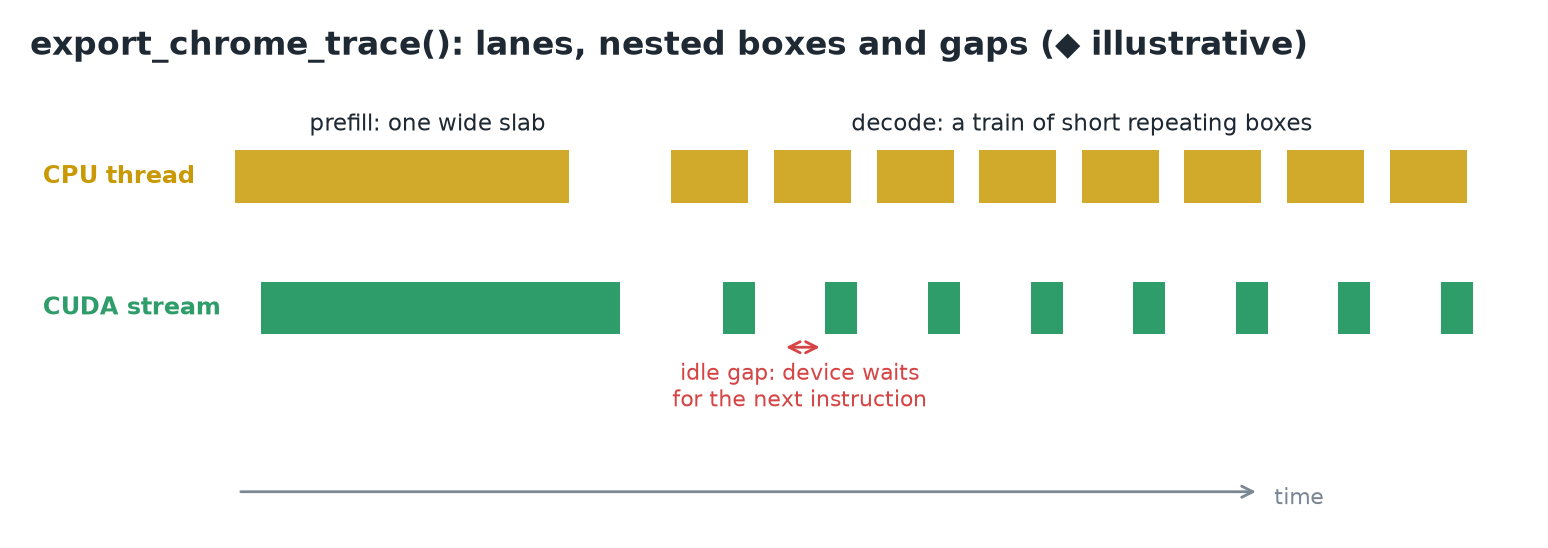 ◆ Illustrative trace: a prefill slab, then a train of decode steps with idle gaps.
- The table averages away order.
export_chrome_trace()writes the same window as JSON forchrome://tracing. - Time runs left to right; each lane is a thread or a device stream; a box is one operation, and boxes nest (your
decode_steplabel encloses the model's ops). - What matters is the relation between lanes: a CPU op and the device work it produced are separate boxes at separate times.
- Lanes alternating between work and empty space mean the device sat idle waiting for the next instruction.
- At the coarsest grain, a generation trace is one wide prefill slab followed by a train of short, repeating decode boxes.
6. Memory snapshots
torch.cuda.memory._record_memory_history()turns on the allocator's event log: every allocation and free with its size, address and stack._dump_snapshot()writes it to a file.- The leading underscore means the interface isn't promised to be stable, but it's the documented tool.
torch.cuda.memory._record_memory_history(max_entries=200_000)
model.generate(input_ids, max_new_tokens=64)
model.generate(input_ids, max_new_tokens=64)
torch.cuda.memory._dump_snapshot("decode.pickle")
torch.cuda.memory._record_memory_history(enabled=None)- Open the file at pytorch.org/memory_viz (drag and drop, nothing to install).
- Active memory timeline: every live allocation is a colored band, time to the right, height in bytes. Hover a band to see the stack that allocated it.
- Allocator state: each segment requested from the device and how it's split into blocks.
- The log is a ring buffer of
max_entriesevents; the oldest are overwritten first.
7. Reading the allocation curve
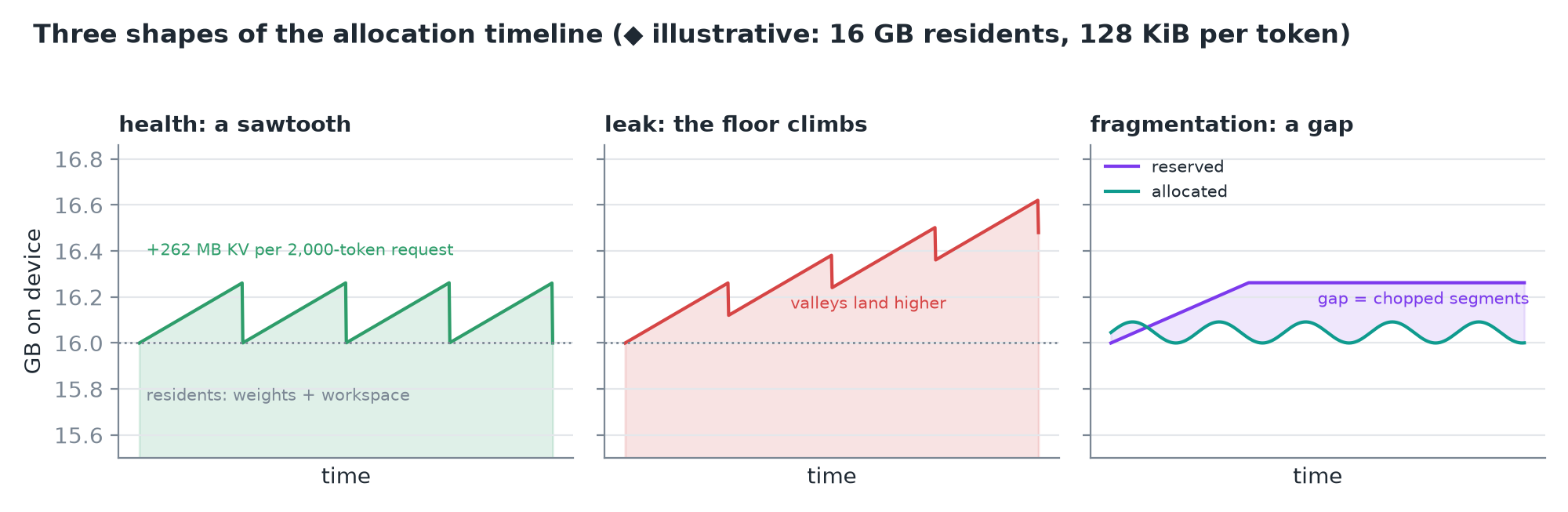 Same timeline, three diagnoses. ◆ Numbers are illustrative: 16 GB of residents, 2,000-token requests.
- Health is a sawtooth. The floor is the residents (weights and workspace that never free). Each request climbs as its KV cache grows, at 131,072 bytes per token, and falls back when it finishes.
- A leak is a climbing floor. Something in each cycle never frees, so every valley lands higher. The persisting band's stack trace names the line holding the reference.
- Fragmentation is a gap. The allocator reserves segments and reuses blocks inside them, so allocated (your tensors) and reserved (held by the allocator) differ. Many small allocations of varying lifetimes chop the segments: reserved stays high while allocated drops, and a large request can fail against scattered free blocks. The segments view shows the chopping.
- An out-of-memory event is in the log too, with the size requested and how much the device still reported free.
TIP
◆ At 131,072 bytes per token, one 2,000-token request adds ≈ 262 MB to the curve: that's the height of each sawtooth tooth.
8. What the instruments cost
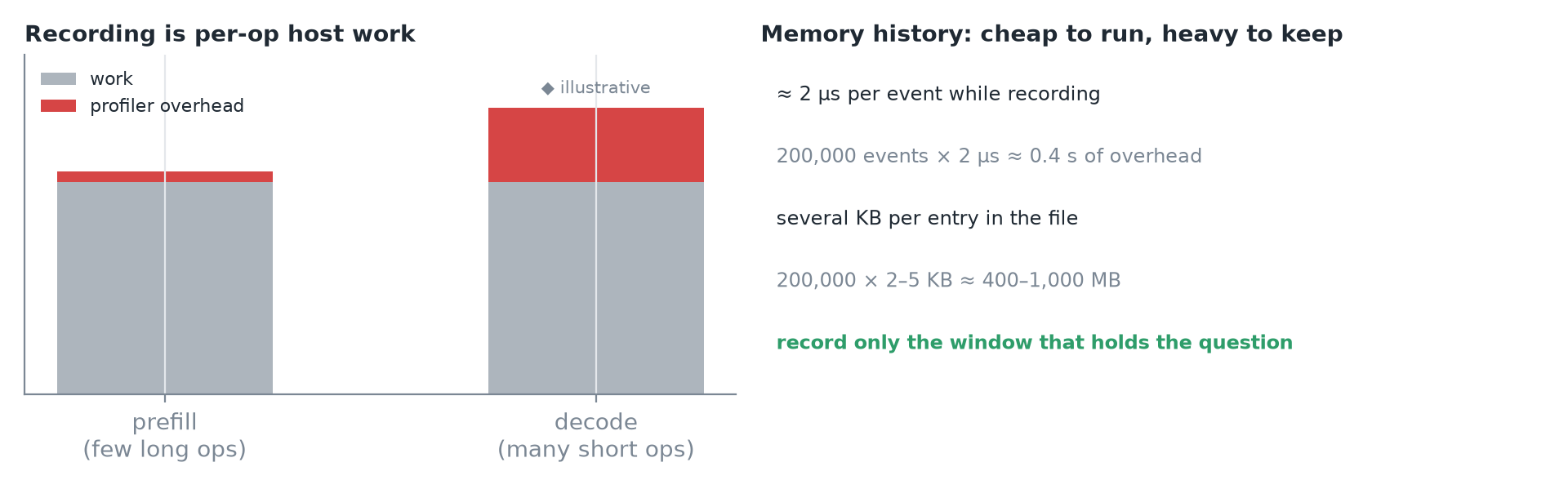 Left: illustrative overhead shares. Right: the memory history's costs.
- Shape recording and stack tracing add overhead, and holding shape records can keep tensors alive longer than the untraced program would.
- The distortion is uneven: recording is per-operation host work, so decode (many short ops) inflates more than prefill (a few long ops). The first use of CUDA profiling also carries a one-time cost, which warm-up absorbs.
- The memory history is cheap while running, ≈ 2 µs per event, but files are several KB per entry: a full 200,000-entry buffer lands in the hundreds of megabytes. Record the window that holds the question, not the whole process.
WARNING
A profiled run is a different program from the one you ship. Compare profiled against profiled, never profiled against an unprofiled baseline.
9. The edge of the account
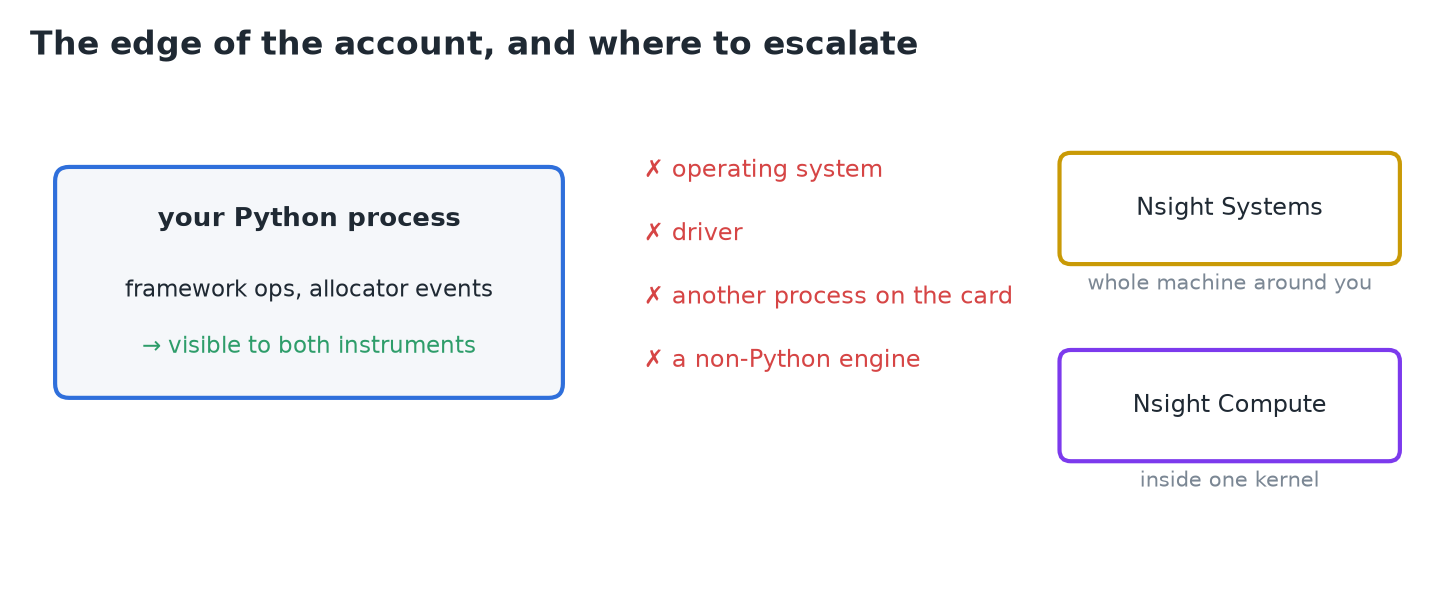 Both instruments only see what one framework in one process wrote down.
- Invisible to both: the operating system, the driver, another process sharing the card, and an engine that isn't this Python program.
- For what the whole machine was doing around your process, escalate to Nsight Systems. For what happens inside one expensive kernel, use Nsight Compute.
- Until then, spend these first: a time question gets a ranked table and a timeline for about six lines; a byte question gets every allocation with its stack for two calls.
IMPORTANT
Profiler for time, memory history for bytes. Declare the window, read self versus total, and treat every profiled number as a measurement of the profiled run.
10. Recap