43 · Find the SLO-Safe Configuration & Headroom
Source: fanout.sh / inference-eng / 09-05 · ~8.5 min
NOTE
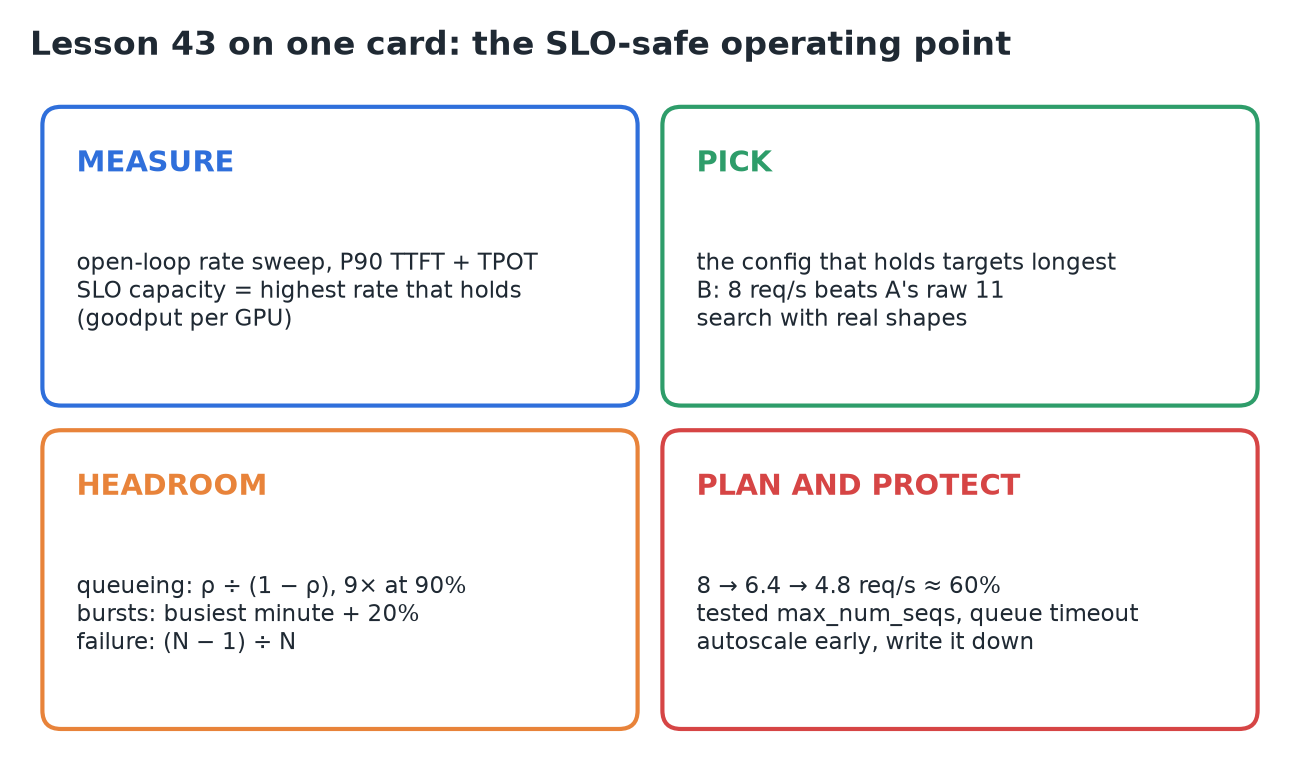
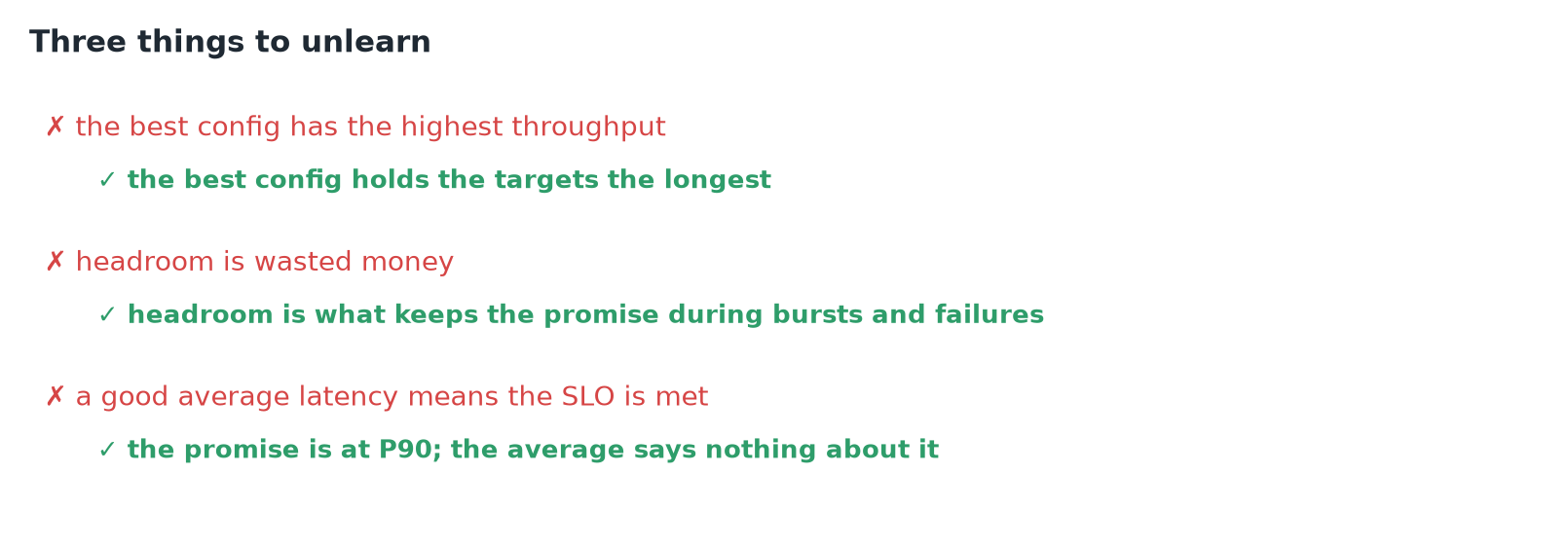
A raw-throughput benchmark answers the wrong question. Measure SLO capacity instead: the highest request rate where P90 TTFT ≤ 400 ms and P90 TPOT ≤ 40 ms both hold, found with an open-loop rate sweep (DistServe calls it goodput per GPU). Pick the config that holds the targets longest, not the fastest one. Then plan well below it: queueing explodes near full load (9× the service time at 90% busy), bursts need a 20% margin, and surviving one lost replica of four means running each at 75%. For config B that's 8 → 6.4 → 4.8 req/s per GPU, about 60% of the benchmark number.
1. The promise and the wrong number
- The chat service promises: 90% of users see the first token within 400 ms, then a token at least every 40 ms.
- A benchmark says one H100 pushes 9 req/s, so the team plans for 9. On launch day the tail blows through the target; then one GPU fails and every other GPU falls over with it.
- The benchmark wasn't wrong. It measured how fast, not how much load while keeping the promise.
2. Measure SLO capacity with an open-loop sweep
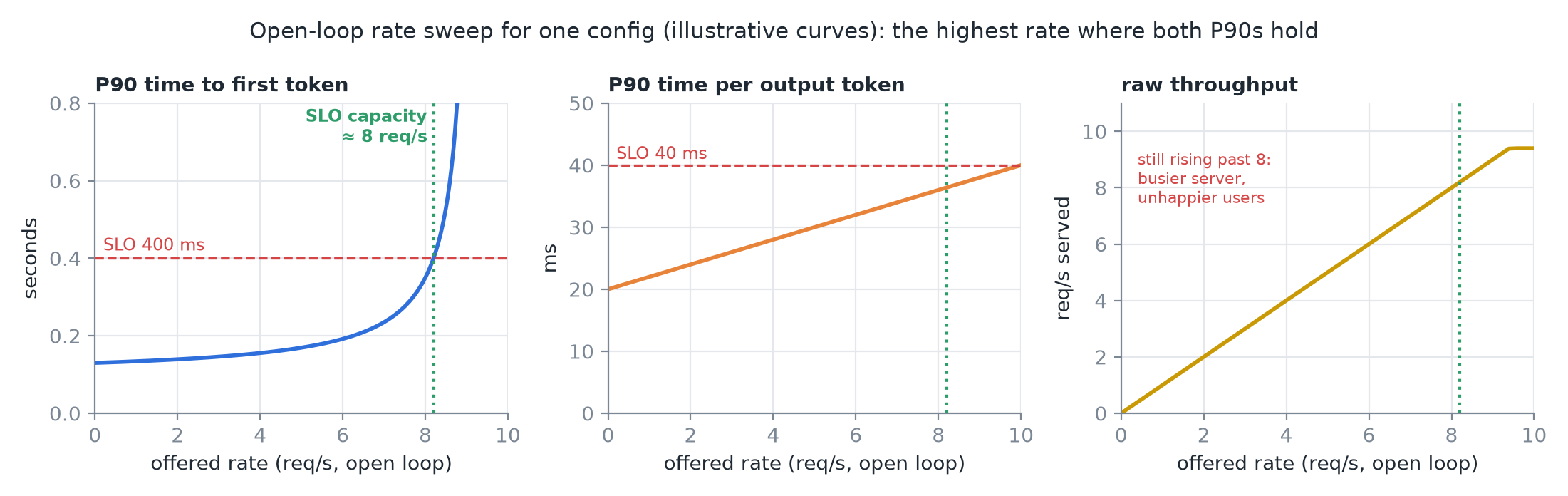 Curve shapes are illustrative; the crossing at ≈ 8 req/s matches the lesson's config B.
- Open loop: send requests at a fixed rate, the way real users arrive, whether or not the server has caught up. Sweep 2, 4, 6, 8 req/s.
- At each rate record P90 TTFT and P90 TPOT. As the rate climbs, queues form, so TTFT bends up; each decode step carries a bigger batch, so TPOT creeps up too.
- SLO capacity = the highest rate where both still meet their targets. One number per configuration.
- Raw throughput keeps rising past it: the server gets busier while users get unhappier.
3. Pick the config that holds the promise longest
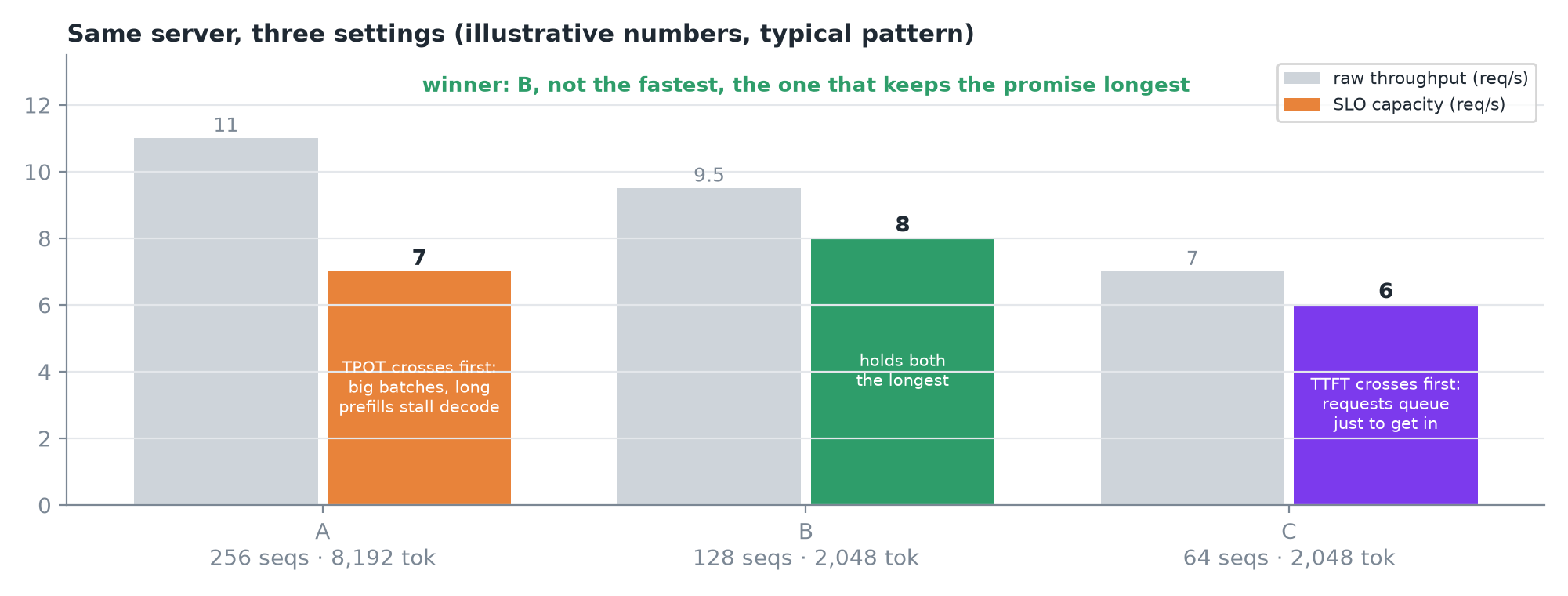 The lesson's numbers are illustrative, but the pattern is the one you'll see.
| Config | max_num_seqs · tokens per step | Raw | SLO capacity | What breaks first |
|---|---|---|---|---|
| A | 256 · 8,192 | 11 | 7 | TPOT: big batches slow every step, long prefills stall everyone |
| B | 128 · 2,048 | 9.5 | 8 | Holds both the longest |
| C | 64 · 2,048 | 7 | 6 | TTFT: requests wait in line just to get in |
- The winner is B: not the fastest, the one that stays inside the promise the longest.
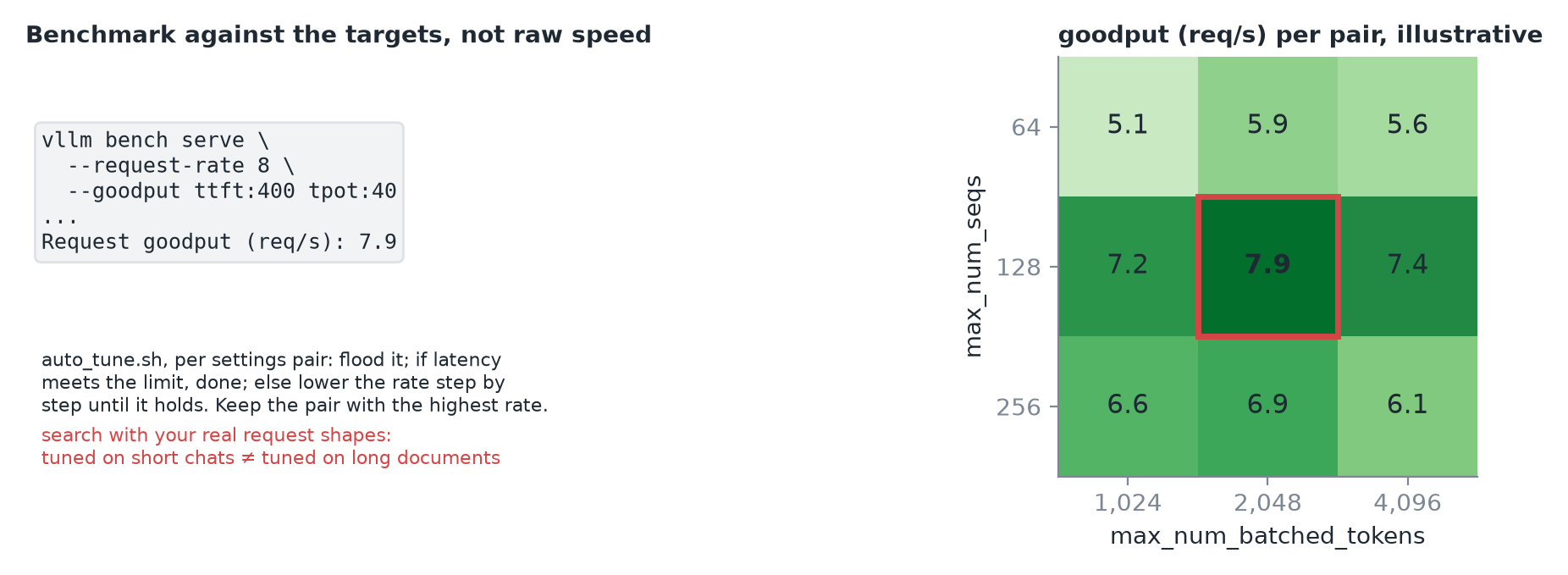 Grid values are illustrative; the best pair (128, 2,048) is config B.
vllm bench serve --goodput ttft:400 tpot:40takes your targets directly and reports goodput, the requests per second that met them.- vLLM's auto-tune script runs the whole search: for each settings pair, start the server, flood it, and if latency misses the limit, step the rate down until it holds. Keep the pair with the highest rate.
WARNING
Run the search with your real request shapes. A config tuned for short chats can lose on long documents.
4. Why not run at 8? Queueing
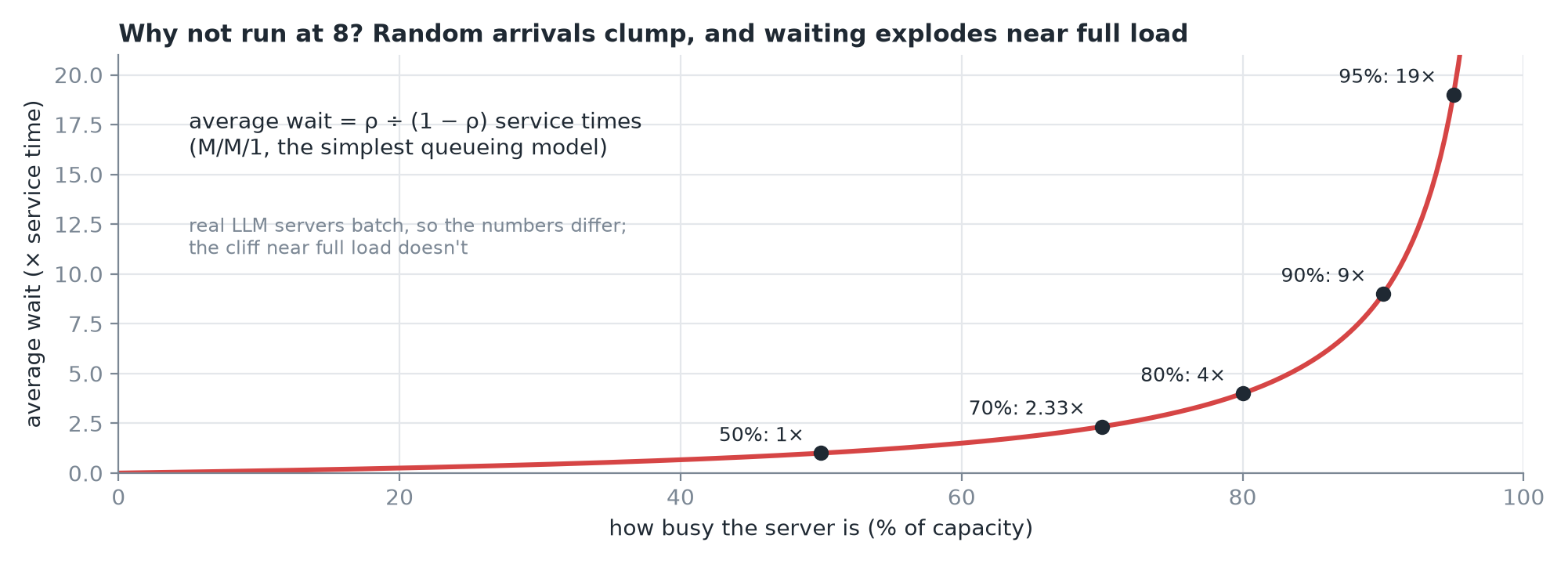 All five points check out against ρ ÷ (1 − ρ).
- Requests clump: sometimes three land at once, sometimes none for a while. The fuller the server, the longer the unlucky ones wait.
- In the simplest model (M/M/1), the wait is the load ÷ spare capacity: 1× at 50% busy, 2.3× at 70%, 4× at 80%, 9× at 90%, 19× at 95%.
- Real LLM servers batch, so the exact numbers differ. The cliff near full load doesn't. Running at capacity balances your tail latency on its edge.
5. Bursts
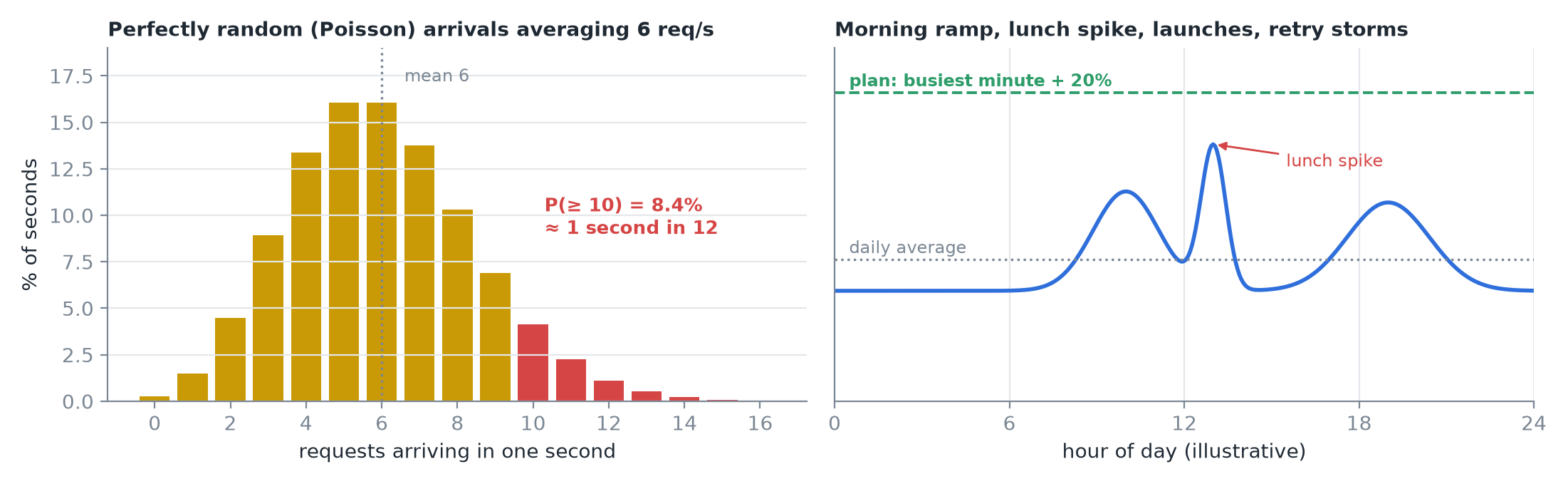 Left is the exact Poisson distribution for a mean of 6; right is an illustrative daily shape.
- Even perfectly random arrivals averaging 6 req/s bring 10 or more in about 1 second in 12 (P = 8.4%).
- Real traffic isn't flat either: a morning ramp, a lunch spike, a launch, a retry storm.
- Plan for your busiest minute, not the daily average, and keep a margin on top. Here: 20%.
6. Failure
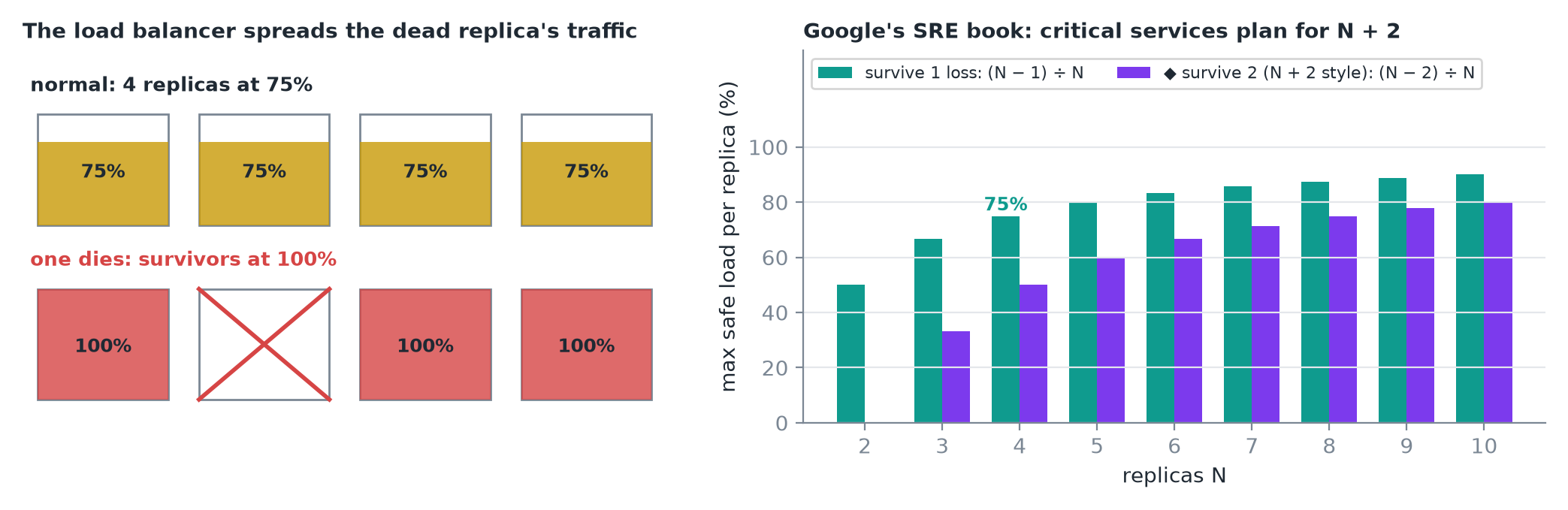 ◆ The (N − 2) ÷ N bars are my arithmetic for the N + 2 rule.
- Four replicas at 75% each. One dies; its traffic doesn't disappear. The load balancer spreads it over the other three, which jump to 100%: right at the cliff, on a day you're already having trouble.
- To survive losing one of N replicas, each can only run at (N − 1) ÷ N of its capacity: 75% for four.
- Google's SRE book describes teams planning for N + 2, surviving two losses at once. The more critical the service, the bigger the margin.
7. The budget for config B
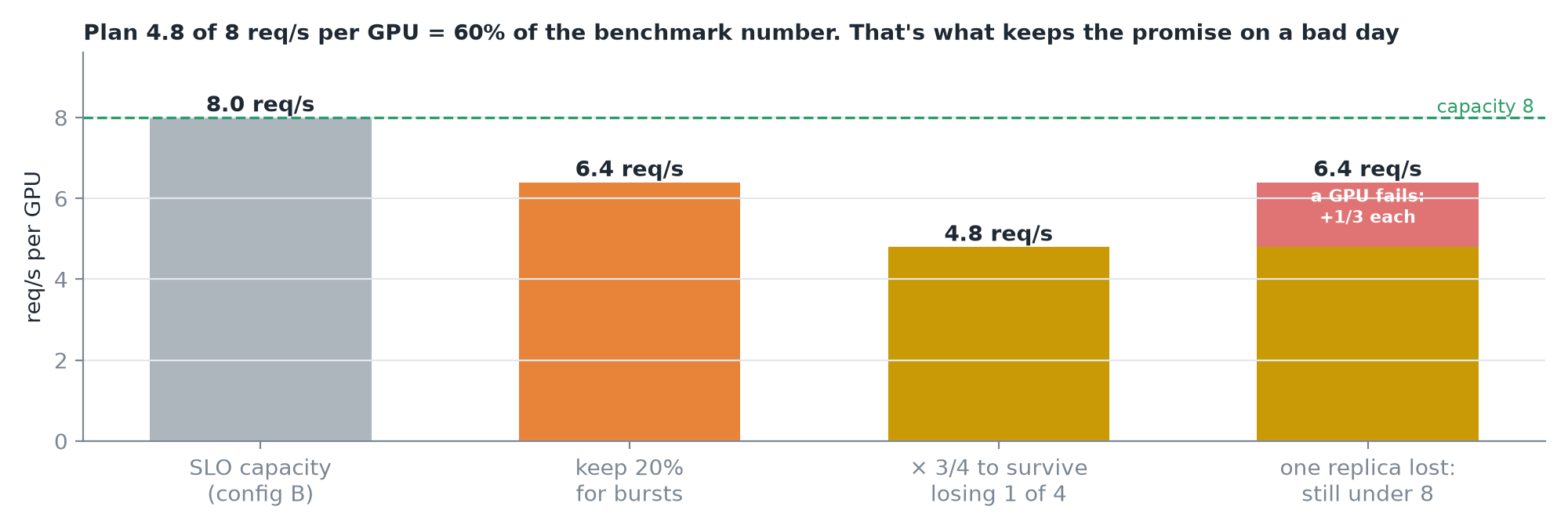 The capacity is illustrative; the arithmetic is the method.
- SLO capacity 8 req/s, keep 20% for bursts → 6.4.
- Four replicas that must survive losing one → each normally runs at ¾ of 6.4 = 4.8 req/s per GPU.
- A GPU fails → survivors rise to 6.4: still under capacity.
- Plan for about 60% of what the benchmark says. That isn't waste; it's what keeps the promise on a bad day.
TIP
◆ During a failure the survivors sit at 6.4, so the 20% burst margin is now what absorbs the extra load. A burst during a failure has no cover left, which is why critical services go to N + 2.
8. Protect the operating point
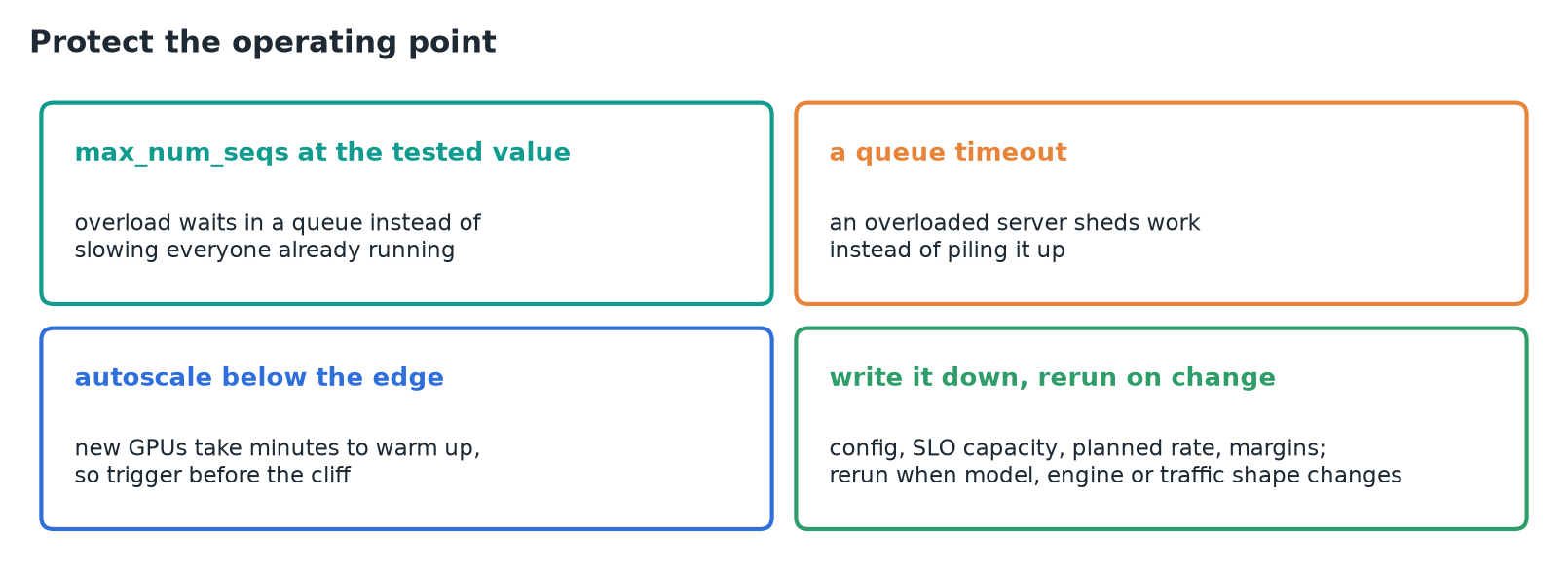
max_num_seqsat the tested value, so overload waits in a queue instead of slowing everyone already running.- A queue timeout, so an overloaded server sheds work instead of piling it up.
- Autoscale below the edge, not at it: new GPUs take minutes to warm up.
- Write it down: the config, the SLO capacity, the planned rate and the margins. Rerun whenever the model, the engine or the traffic shape changes.
9. Recap