02 · The Inference Stack: Model to GPU to Production
Source: fanout.sh / inference-eng / in-03 · ~9 min
NOTE
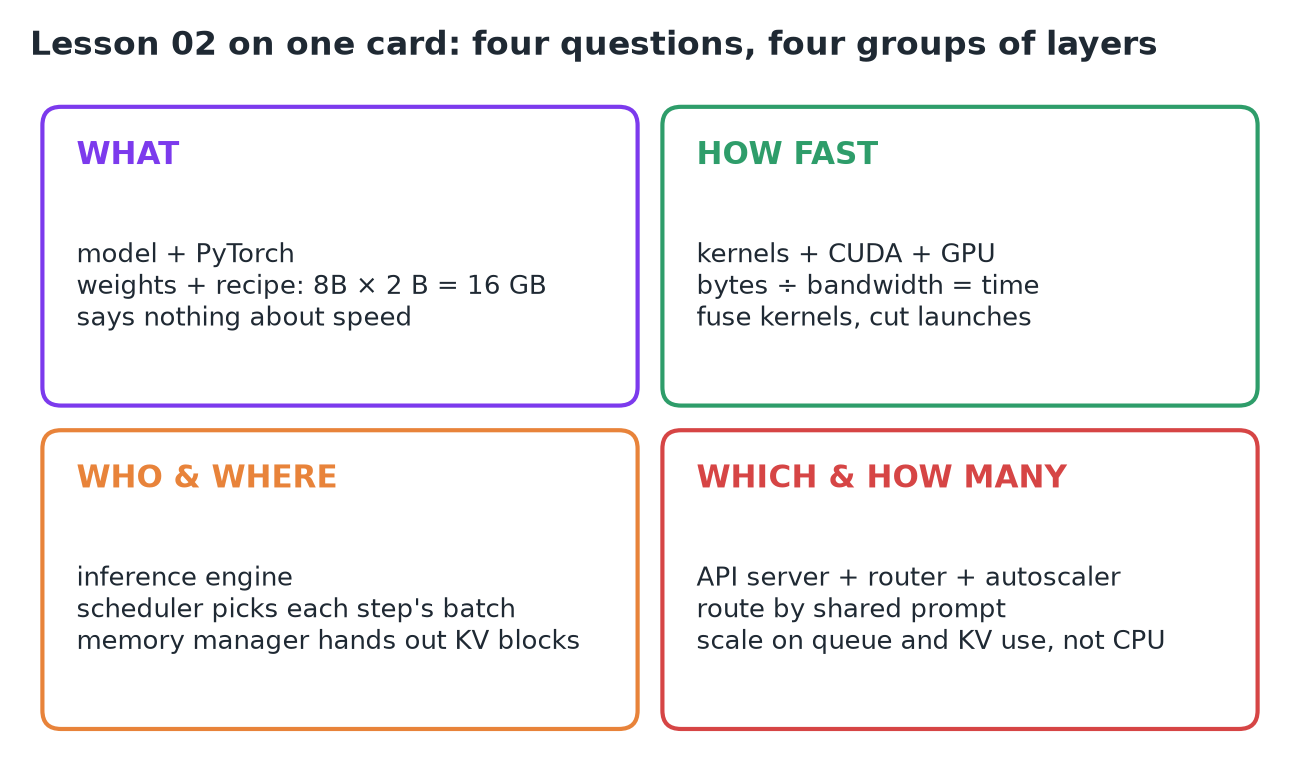
Between pressing Enter and seeing the first word (~0.5 s), a request crosses about 8 layers of software and hardware. Each layer exists to answer one question the others can't. The model says what to compute; kernels and the GPU decide how fast; the engine decides who runs each step and where their memory goes; the server and fleet decide which replica, and how many. The rest of the course climbs this map.
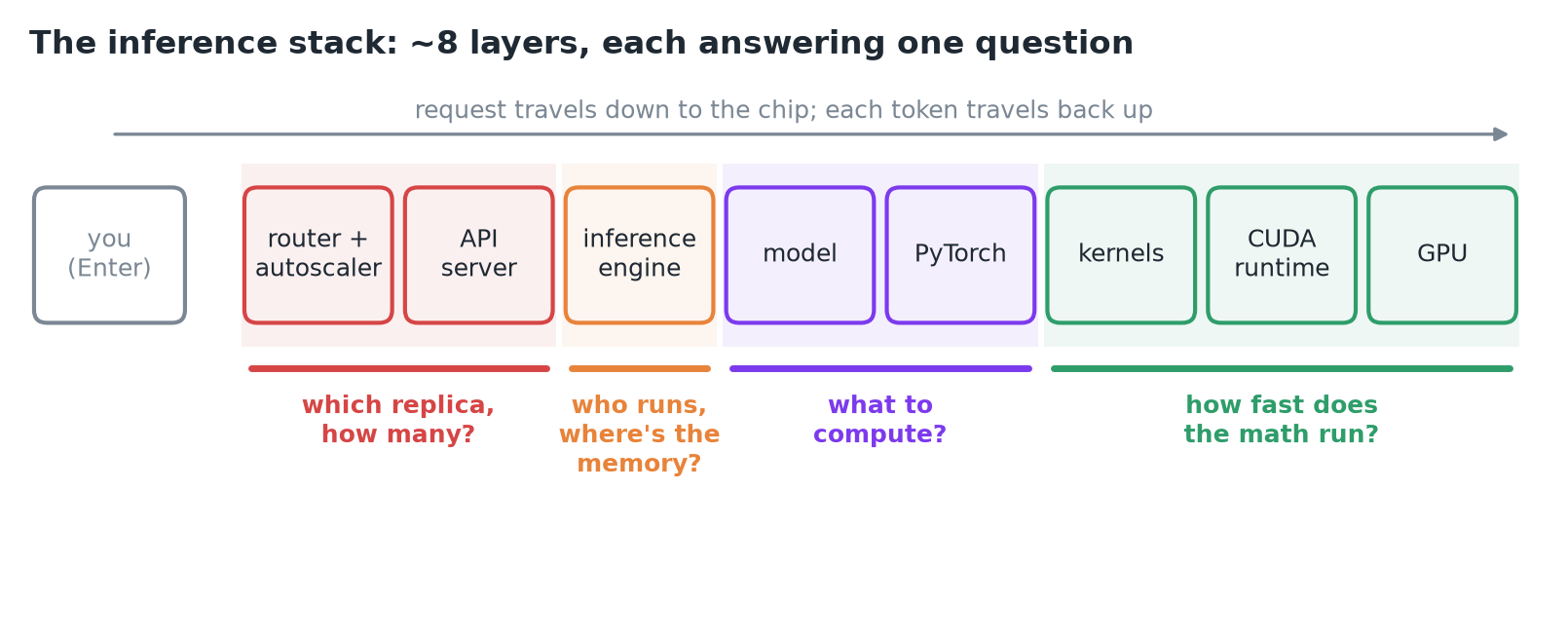 The stack from user to silicon, grouped by the question each group of layers answers.
1. The model: a file that says what, never how
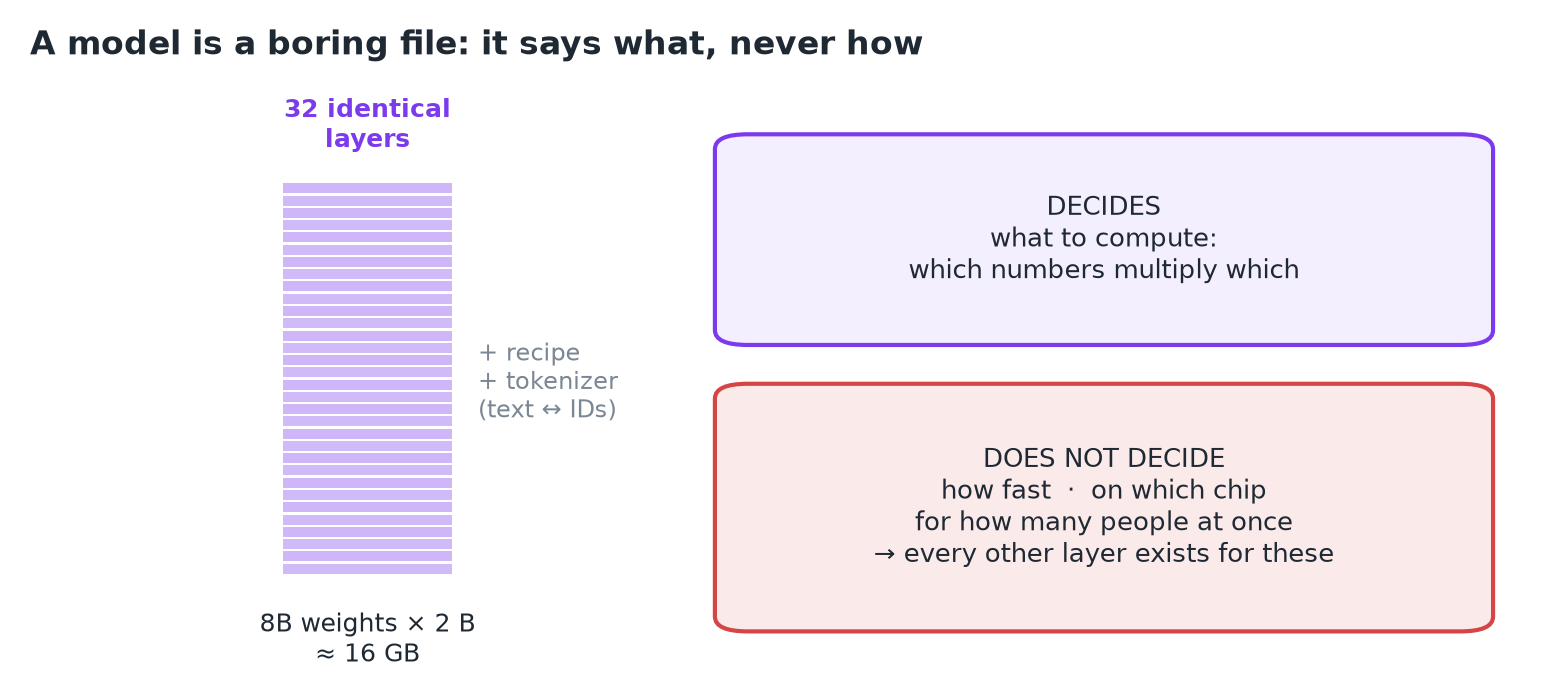 Llama 3.1 8B: 8B weights in 32 identical layers, plus a recipe and a tokenizer.
- On disk a model is weights (a file of numbers) plus a short recipe for combining them.
- Llama 3.1 8B: ~8B weights, 32 identical layers, 2 bytes each in 16-bit, so ~16 GB.
- A tokenizer sits beside it and converts text to integer IDs and back.
IMPORTANT
The model says nothing about how fast, on which chip, or for how many users at once. Every other layer exists to answer those questions.
2. The GPU: arithmetic waits on memory
- An H100 has two parts that matter: 132 streaming multiprocessors (thousands of arithmetic units) and 80 GB of HBM right next to the chip.
- The 16 GB of weights must live in HBM, and every new token reads every weight once:
IMPORTANT
This one division, bytes ÷ bandwidth = time, is the most useful number in inference. No software above the chip can beat it for a single stream; the arithmetic units mostly wait on memory.
3. Framework, kernels, CUDA: translating math for the chip
| Layer | Role | Examples |
|---|---|---|
| Framework | Expresses the model as tensor ops (matmul, norm, attention) | PyTorch |
| Kernels | Small GPU programs, each launched across thousands of threads | cuBLAS (matmul), FlashAttention |
| CUDA runtime + driver | Hands kernels to the hardware | CUDA |
The same math can run at very different speeds depending on the kernel:
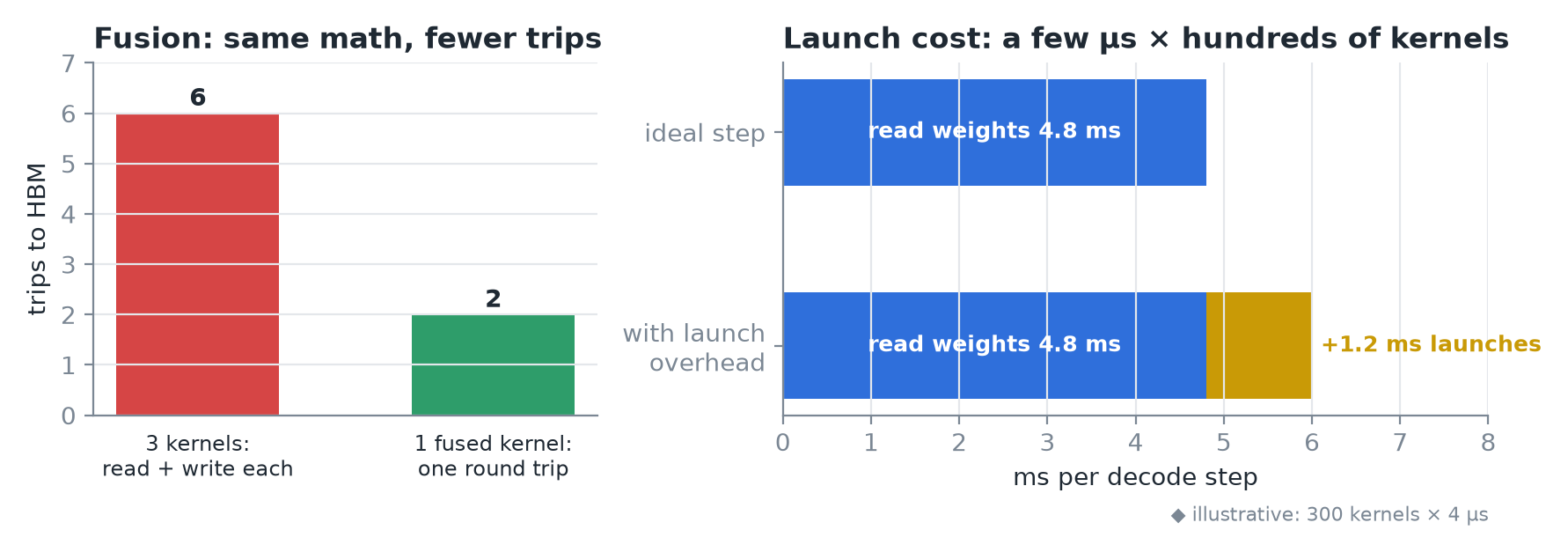 Left: fusing three kernels cuts the trips to memory. Right: per-kernel launch costs add up across hundreds of kernels per token.
- Fusion: three separate kernels each read from and write back to memory; one fused kernel makes a single round trip.
- Launch overhead: each launch costs a few µs of CPU time, repeated across hundreds of kernels per token.
- This layer answers: how fast does this exact math run on this exact chip?
4. The inference engine: who runs, and where their memory goes
Engines like vLLM, SGLang and TensorRT-LLM turn a model into a service. They're built around one trick: if 64 users each need a token, read the weights once and serve all 64 in the same step. The step gets only a little slower, but it does 64× the work.
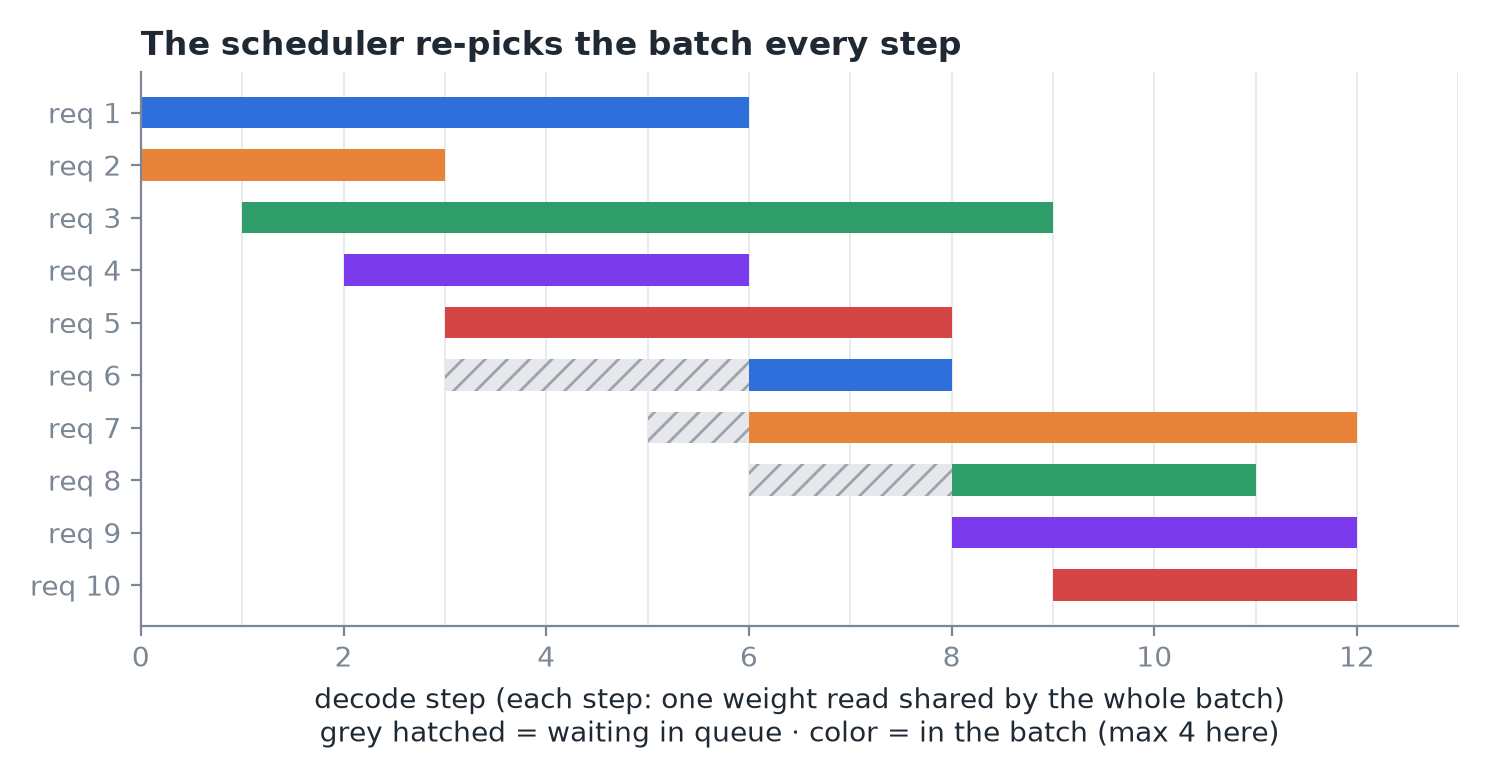 Requests wait in a queue and join the batch at step boundaries; the scheduler re-decides the batch on every step.
- Job 1, the scheduler: decides, every single step, which requests join the batch.
- Job 2, the memory manager: each request carries a KV cache (keys and values of every token it has seen), about 128 KB per token for Llama 8B. A few thousand tokens × dozens of requests and the cache competes with the weights for HBM, so the engine hands out and reclaims cache in small blocks.
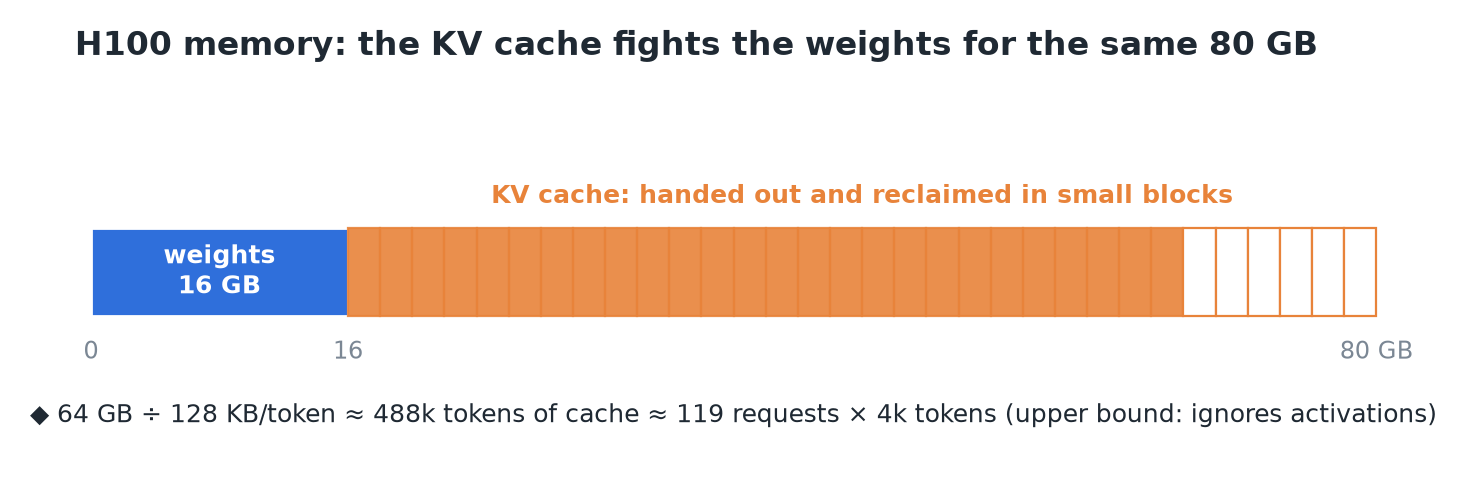 After 16 GB of weights, the remaining 64 GB of HBM is the KV cache's budget.
5. Server and fleet: which replica, and how many
- Replica = one engine on one GPU, fronted by an API server that speaks the OpenAI HTTP format, runs the tokenizer and streams tokens back.
- Router: a plain load balancer spreads requests evenly. An inference-aware router sends a request that shares a long system prompt to the replica that already has it cached, turning hundreds of ms of repeated prefill into almost nothing.
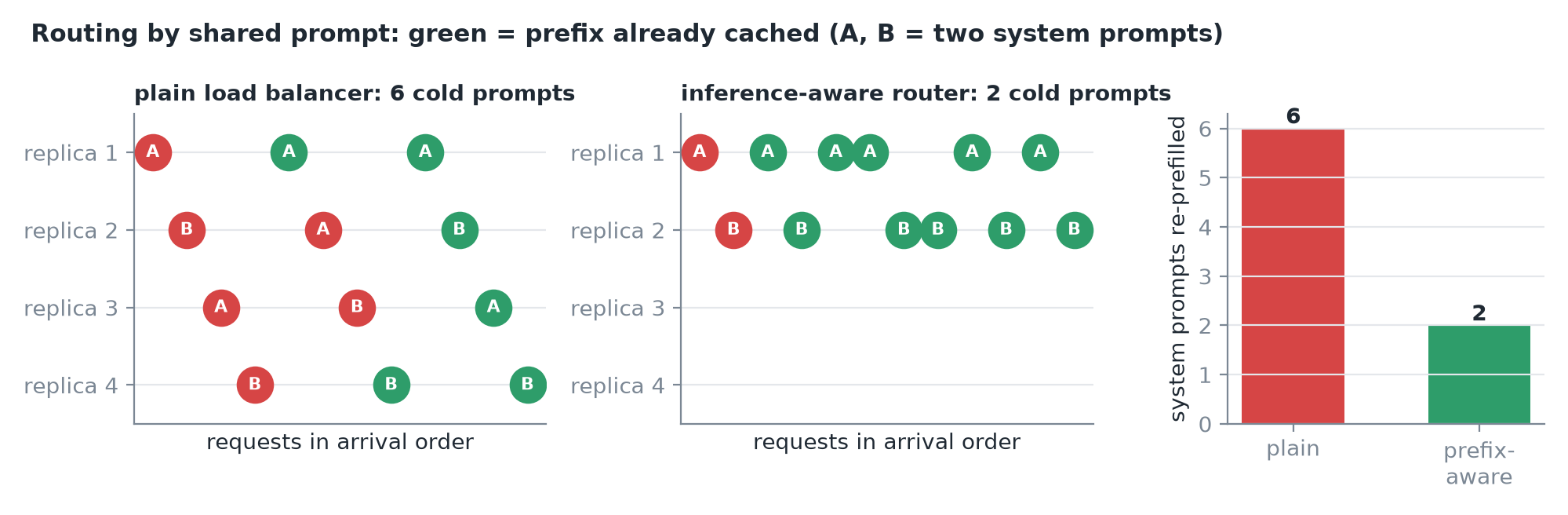 Same 12 requests, two shared system prompts: routing by prefix avoids re-prefilling prompts that are already cached.
- Autoscaler: adds or removes replicas. It watches queue length and KV cache use, not CPU load, because the CPU is mostly idle. Scaling up is slow: 16 GB of weights must load before a new replica serves anyone.
- Metrics and tracing on every layer tell you which one is hurting.
- The engine optimizes one replica; the fleet layer is everything across replicas.
6. One request, down and back
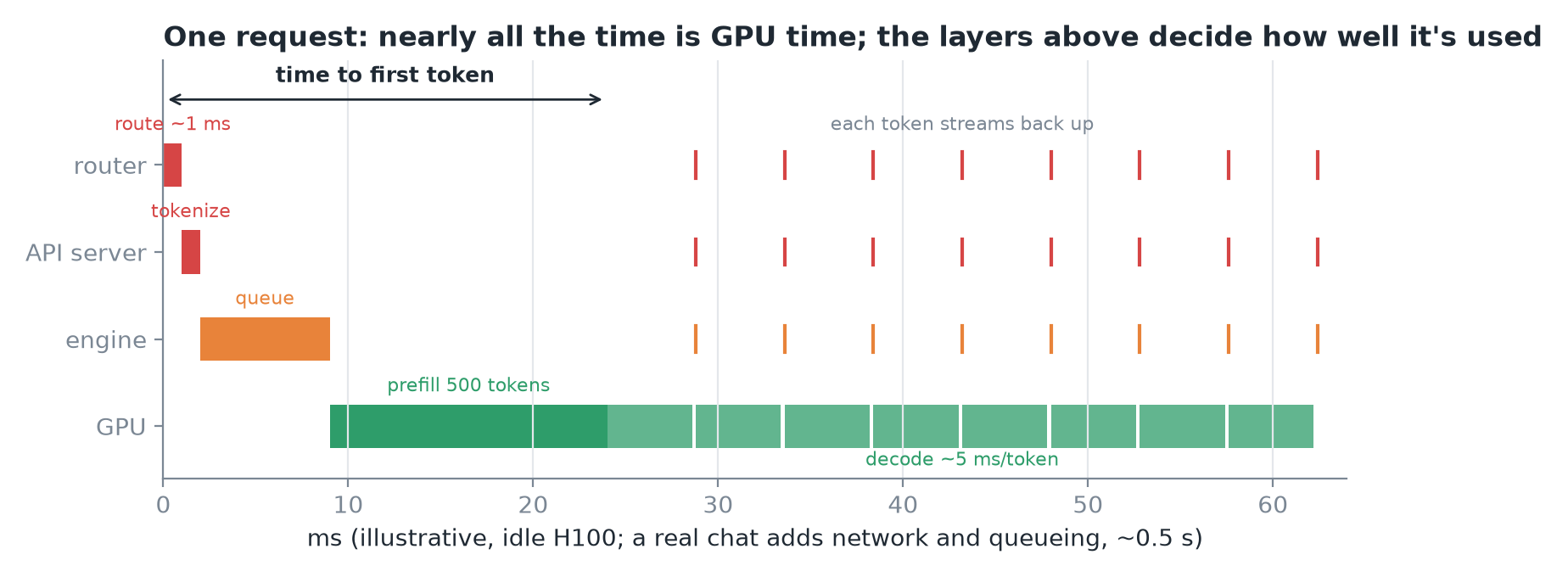 Route (~1 ms), tokenize, queue, prefill, then decode at ~5 ms per token, each token streaming back up the stack.
- The router picks a replica in about 1 ms.
- The API server turns the text into ~500 token IDs.
- The scheduler queues the request; at the next step it joins the batch.
- Prefill: all 500 prompt tokens go through the model at once, filling the KV cache; the first token appears (time to first token).
- Decode: one token per step, ~5 ms each, each token climbing back through engine, server and router to the screen.
IMPORTANT
Almost all the time is spent on the GPU, but the layers above decide how well that GPU time is used.
7. Recap